What is SMS authentication?
- Published : November 2, 2026
- Last Updated : November 3, 2026
- 2 Views
- 9 Min Read

Think about the last time you logged into your bank account. You typed in your password, and then before you were let in, your phone buzzed with a Short Message Service (SMS) carrying your one-time password (OTP).
That second step is SMS authentication, and it happens multiple times a day across banking apps, food delivery platforms, demat accounts, and different online portals.
SMS authentication uses transactional text messages to help confirm that a user is the person accessing an account, complete an action, or continue a protected workflow. It is widely used because it is familiar, quick, and does not require users to install any additional application.
What is SMS authentication?
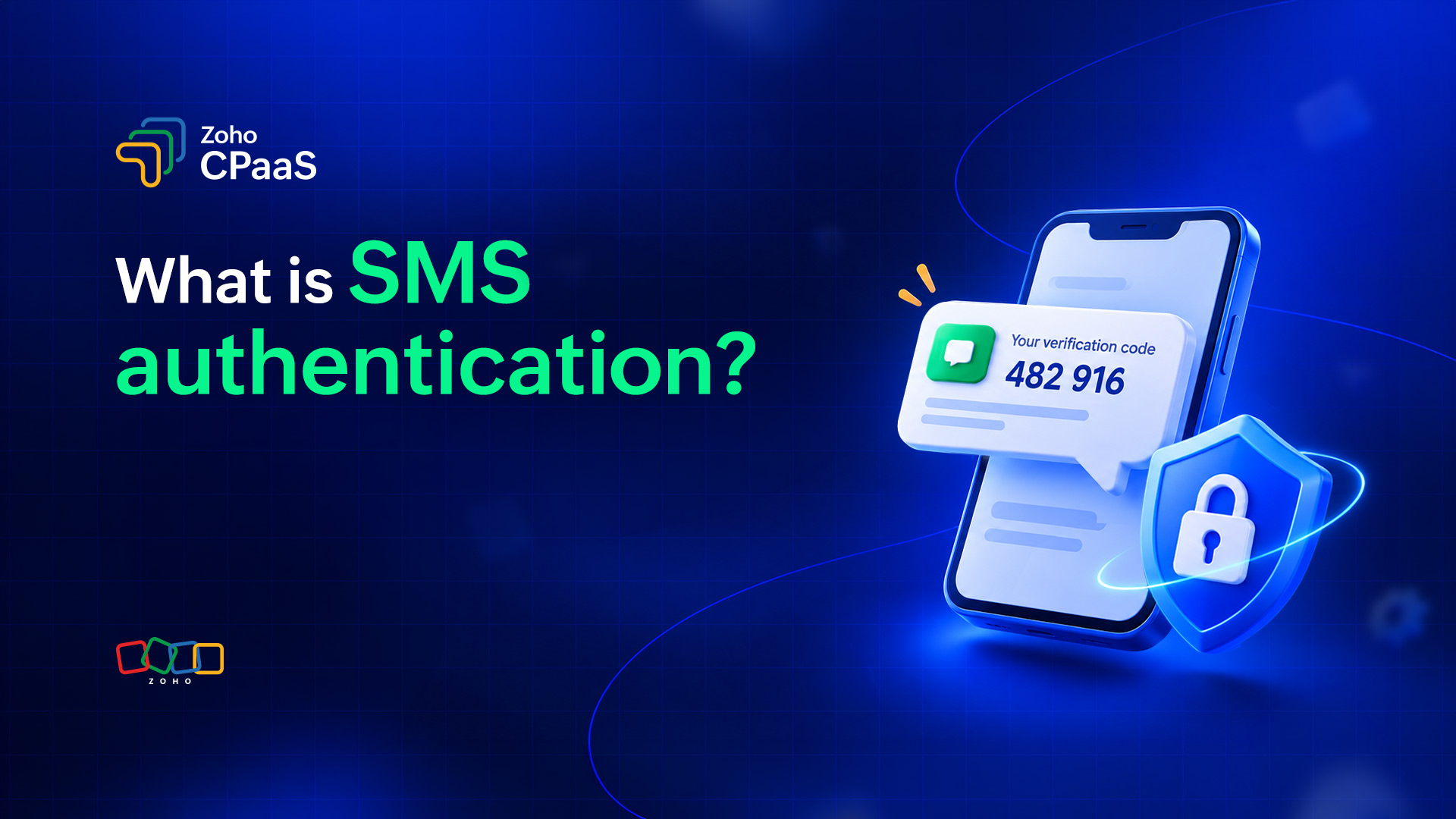
SMS authentication is an authentication method that uses a code sent to a user's device through SMS to help confirm their identity. It's typIcally done before allowing access to an account or to perform a sensitive action.
A common implementation uses an OTP sent to the user's device. The user enters the OTP received on their phone into the application. The application validates the code and, if the authentication requirements are met, allows the user to continue.
For example, let's say a customer signs in to an online banking application. After entering their username and password, they receive a six-digit code by SMS to verify their identity. Entering the correct code confirms that they have access to the registered phone number associated with the account.
You can use SMS authentication for:
- Account login
- New-device sign-in
- Sensitive account changes
- Transaction authorization
- Step-up authentication
- Account recovery
SMS authentication vs. SMS 2FA vs. SMS verification
SMS authentication, SMS two-factor authentication (2FA), and SMS verification are related but have different purposes. Authentication helps control access to an account or action, verification confirms a specific detail such as access to a phone number, and 2FA requires two different authentication factors.
We often use these terms interchangeably, but they describe different things.
| Term | What it means | Uses |
|---|---|---|
| SMS authentication | Uses transactional SMS as part of a process to authenticate a user's identity | Login, sensitive actions, account access |
| SMS 2FA | Uses SMS as the second authentication factor along with another factor, such as a password, to verify the user's identity | Protecting account login with two factors adds an extra layer of security |
| SMS verification | Confirms that a user has access to a particular phone number or that a phone number is valid | Sign-up, phone-number confirmation, account setup |
The easiest way to remember the difference is: Authentication validates a person, verification validates a number, and 2FA is authentication layered on top of a password.
Verification asks:“Do you have access to this phone number?”
Authentication asks:“Are you the user who should be allowed to access this account?”
2FA asks:“Can you prove your identity using two different authentication factors?”
How does SMS authentication work?
SMS authentication works by generating a temporary code, sending it to the user's registered phone number, and validating the code when the user enters it. The application grants access or allows the requested action only when the required authentication checks pass.
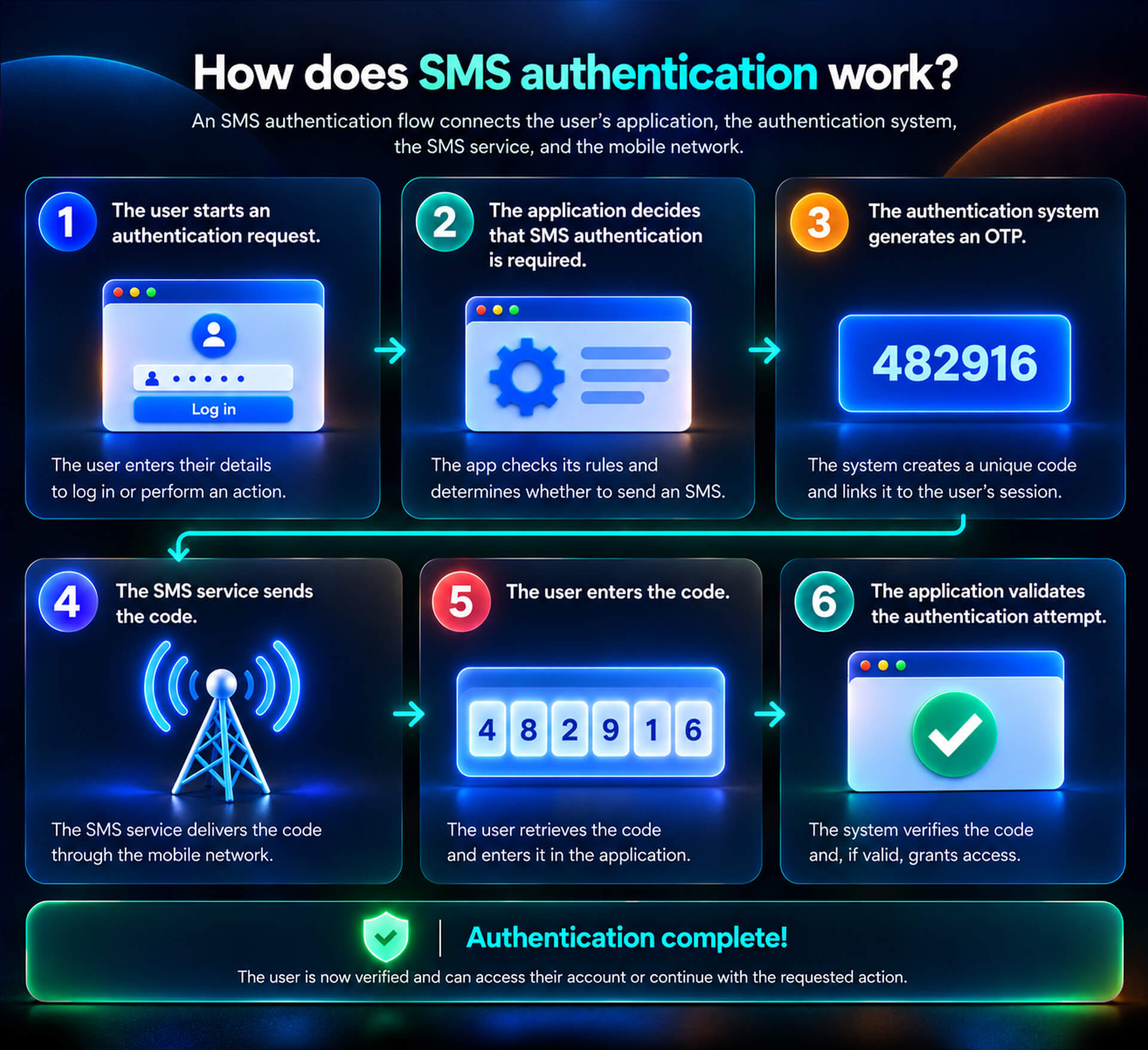
1. The user starts an authentication request
The user attempts to log in or perform an action that needs additional authentication. For example, they may enter their username and password to sign in to an account.
2. The application decides that SMS authentication is required
The application checks its authentication rules and determines whether it needs to send an OTP. It may do this every time a user logs in or only when additional verification is needed, such as when the user signs in from a new device.
3. The authentication system generates an OTP
If needed, the system creates a unique code and links it to the user's login session. The code expires after a short time and can't be used again once authentication is complete.
4. The SMS service sends the code
The application sends the OTP and the recipient's phone number to an SMS service through an API. The SMS service delivers the message to the user's phone through the appropriate telecom networks.
5. The user enters the code
The user checks their SMS, finds the OTP, and enters it in the application.
6. The application validates the authentication attempt
The authentication system checks whether:
- The OTP is correct
- The OTP hasn't expired
- The OTP hasn't already been used
- The user hasn't exceeded the allowed number of attempts
- The authentication request is still valid
If the checks pass, the user is authenticated and the application allows them to continue.
Types of SMS authentication based on use case
Businesses use SMS authentication for multiple user actions such as login, password less access, sensitive account changes, transactions, account recovery, and customer support.
Login authentication (2FA)
Login authentication uses an SMS OTP to add a verification step to the log-in process. When combined with a password, it can serve as SMS-based two-factor authentication.
After you enter your password on the website or in the application's login portal, the system sends a code to your phone to complete the login. Businesses add this step before they grant account access.
Passwordless login
Passwordless SMS login allows users to sign in with a phone number OTP instead of entering a traditional password. Its security depends on how the application protects the OTP and verifies control of the phone number.
Step-up authentication
Step-up authentication asks a user to complete an additional authentication check when they attempt to access features or areas beyond the scope of their initial login.
Example: A user wants to change their registered phone number while logged in to their account. The application asks them to authenticate again before it makes the change.
Transaction authentication
Transaction authentication uses an OTP to add a confirmation step before a transaction proceeds.
When you make an online payment or transfer money, you receive an OTP to confirm the transaction and proceed. This step confirms that the person who initiates the transaction has access to the registered phone number.
Account recovery authentication
SMS-based account recovery sends a code to a registered phone number to help a user regain access when they can't use their usual login credentials. You can also use SMS during account recovery when you cannot access your usual login credentials.
Example: A user forgets their password and chooses phone-based recovery. The application sends an OTP to the registered number before it continues the recovery process.
High-risk action confirmation
High-risk action confirmation adds an authentication check before a user performs a sensitive, impactful, or potentially irreversible operation such as deleting a critical production database. This adds an extra check before the application completes the action.
Customer service and help-desk verification
Customer service verification uses an OTP to help confirm that the user has access to the account before a support representative shares sensitive information or makes account changes.
Advantages of SMS authentication
The main advantages of SMS authentication are accessibility, ease of use, broad device support, and straightforward integration through SMS APIs.
Easy to understand for users
Most users already know how to receive and read a text message.
No additional application is needed
Users don't need to download an new authenticator app or configure a separate authentication device.
Works even without an internet connection
Traditional SMS delivery doesn't require Wi-Fi or an active mobile internet connection on the recipient's device.
Familiar across devices
SMS works across a wide range of mobile phones and remains available to users who may not have access to newer authentication technologies.
Quick authentication experience
Users can quickly receive an OTP and complete the authentication step within a few seconds.
Easy to integrate
Businesses can integrate SMS authentication into existing applications using SMS APIs rather than building their own telecommunications infrastructure.
Useful as a fallback
SMS can serve as an alternative authentication method when a user's primary authentication method is unavailable.
Cons of SMS authentication
The main disadvantages of SMS authentication are risks of SIM-swap attacks, phishing, message interception, and mobile-network delivery problems. Businesses should consider these risks before choosing SMS as their primary or the only authentication method.
Risk of SIM-swap attacks
Attackers might convince a carrier to transfer a user's number to another SIM and may receive future authentication codes.
OTP theft through phishing
Attackers can trick users into sharing an OTP through fake login pages, phone calls, or messages.
Dependent on mobile network availability
Network congestion, carrier issues, roaming conditions, or other delivery problems can delay delivery.
Not end-to-end encrypted
Traditional SMS messages are not protected by end-to-end encryption, so they don't offer the same security as some modern authentication methods.
Phone number changes can cause access problems
If a user changes their phone number without updating their account, SMS authentication may fail or require an account recovery process.
Not ideal for high-risk authentication on its own
For applications handling sensitive information or high-value transactions, stronger authentication methods may be more appropriate.
Best practices for SMS authentication
Secure SMS authentication needs randomly generated, short-lived OTPs with single-use validation and clear messages. Businesses should also monitor suspicious activity and provide alternative authentication methods when SMS is unavailable.
Choose the right number and sender
Use a reliable sender identity and make sure your SMS service (such as Zoho CPaaS) supports delivery to the destination country and carriers your users rely on.
When deciding how to send authentication messages, you should consider:
- Sender requirements in your target country
- Local carrier rules
- Delivery reliability
Keep authentication messages clear
Avoid adding unnecessary promotional content to authentication messages. An authentication SMS should answer three questions:
- Who sent this?
- What is the code?
- What should the user do with it?
For example: Zylker: Your login code is 482916. It expires in 5 minutes. Don't share this code with anyone.
Use unpredictable, short-lived OTPs
Generate OTPs using a secure random process and give them a short validity period. OTP must not include predictable information such as a phone number, date of birth, or account ID.
Make every OTP single-use
Once an OTP has been successfully used, invalidate it immediately to prevent it from from being reused.
Limit attempts and requests
Set reasonable limits on both OTP entry attempts and OTP requests. This helps reduce automated attacks, OTP abuse, and unnecessary SMS costs.
Protect the authentication endpoint
The OTP itself is only one part of the security model. Apply controls such as rate limiting, session validation, and suspicious-activity monitoring around the authentication endpoint.
Don't reveal sensitive information
Avoid including account details, or unnecessary personal information in authentication messages. The SMS should contain only what the user needs to complete the authentication step.
Provide another authentication option when appropriate
SMS shouldn't necessarily be the only way for a user to authenticate. Providing another option can help users who lose access to their phone number or cannot receive SMS.
Alternatives to SMS authentication
Alternatives to SMS authentication include email OTPs, WhatsApp authentication, voice calls, authenticator apps, and passkeys. The right choice depends on your users, security requirements, and the communication channels you already support.
Email authentication
You can use transactional emails to send authentication links or OTPs to a user's registered email address. These are useful when:
- Email is already central to the user's account.
- Users have reliable access to their email.
- You want an alternative to phone-based authentication.
WhatsApp authentication
Businesses can also use WhatsApp to deliver authentication messages using WhatsApp Business API as a backend interface provided by Meta. WhatsApp messaging can be useful when:
- Your customers are already using WhatsApp regularly.
- WhatsApp is an established communication channel for your business.
- You want a richer messaging experience than traditional SMS.
However, users must have access to WhatsApp for authentication to work. You should not automatically use WhatsApp as a replacement for every SMS authentication scenario.
Voice calls
Voice call authentication delivers a one-time code through an automated phone call instead of an SMS. The user receives a call sent by businesses using Voice APl. They listen to the authentication code, and enter it in the application. Voice calls are a good fit when:
- Users have difficulty receiving or reading SMS.
- SMS delivery is unreliable in certain situations.
- You want to provide a voice-based option.
Authenticator apps
Authenticator apps generate time-based codes, usually without relying on cellular SMS delivery. They can provide stronger protection against some SMS-specific attacks, but users need to install and set up the app.
Passkeys
Passkeys use cryptographic credentials stored on a user's device to authenticate them without requiring a traditional password or SMS OTP. They offer stronger security and can provide a simpler sign-in experience once set up, but adoption and implementation requirements need to be considered.
FAQ
Is SMS authentication the same as SMS verification?
No, SMS verification generally confirms that a user has access to a particular phone number. SMS authentication uses SMS as part of the process of confirming a user's identity before granting access or allowing a protected action.
Is SMS authentication the same as two-factor authentication?
No, SMS authentication describes the use of SMS in an authentication process. SMS 2FA specifically means that SMS is being used as the second authentication factor alongside another factor, such as a password.
Can SMS authentication work without internet access?
Yes. Users generally don't need mobile data or Wi-Fi to receive a traditional SMS authentication code. However, the application itself needs network connectivity to communicate with its authentication and SMS systems.
Is SMS authentication secure?
SMS authentication provides useful protection against many basic account-access attacks, but it has known weaknesses such as SIM swapping, phishing, and SMS interception. Stronger authentication methods may be preferable for high-risk applications.
What should an SMS authentication message contain?
Keep the message focused. It should generally identify the business, provide the authentication code, state its validity period, and remind users not to share the code.