What is IVR (interactive voice response)?
- Published : October 30, 2026
- Last Updated : October 30, 2026
- 8 Views
- 9 Min Read

Every time you call a bank, airline, or clinic and hear, "Press 1 for billing; press 2 for support," you've used IVR. It's one of the most widely used business phone technologies, and it works for companies of any size.
This might seem like a new technology, but IVR was introduced back in the 1970s. This was a time where businesses began exploring ways to automate telephone interactions just by using touch-tone keypads. Since then, it has evolved from simple pre-recorded voice prompts and keypad-based menus to more advanced systems that can recognize spoken responses and handle a wider range of customer interactions.
Today, businesses use IVR to share information, collect customer responses, automate routine phone interactions, and help callers complete tasks without always needing assistance from a human agent. This article covers what IVR is, how it works, where it's used, and how to build IVR flows with Zoho CPaaS.
What is IVR?
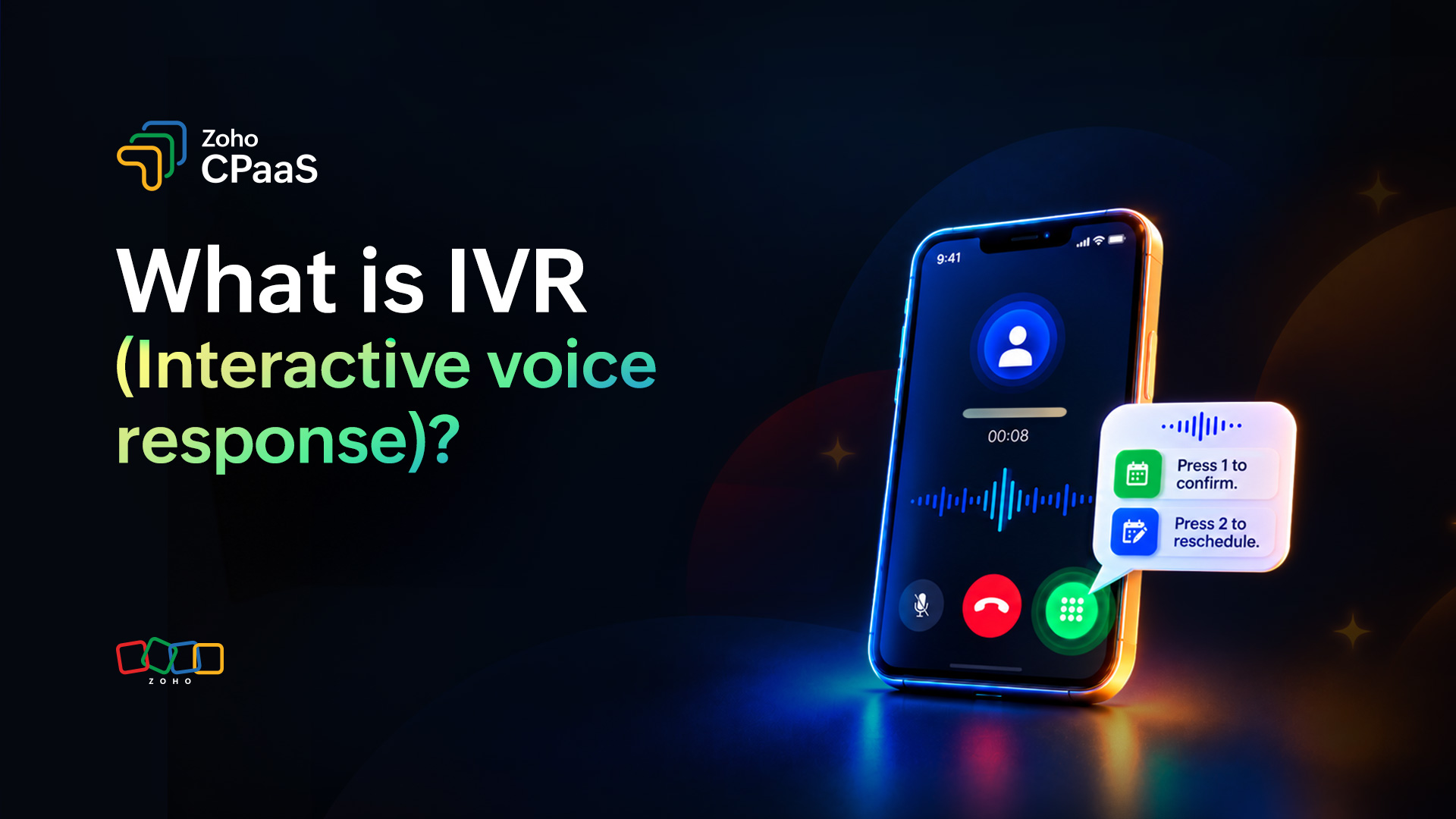
Interactive voice response (IVR) is an automated phone system that interacts with callers through pre-recorded or text-to-speech prompts. Callers respond by pressing keys on their phone (DTMF input) or by speaking. The system then gives them information, completes a simple task, or routes them to the right person or department, with no human agent involved at the start.
Types of IVR
Here's a quick table on the different types of IVR and how it works, along with examples:
Type | How it works | Example |
Touch-tone IVR | Users navigate options using their phone keypad. | Press 1 to confirm an appointment. |
Speech-enabled IVR | Users speak responses that the system recognizes. | Say "Billing" to reach the billing department. |
Conversational or AI-powered IVR | Uses conversational AI to understand flexible requests and respond accordingly. | A caller asks about a recent payment in their own words. |
Outbound IVR | Places automated calls to customers and collects responses or actions. | A delivery service asks a customer to press 1 to confirm availability. |
IVR vs. auto attendant: What's the difference?
IVR and auto attendant systems both automate phone interactions, but they serve slightly different purposes:
Aspect | IVR | Auto attendant |
Primary purpose | Automates phone interactions and customer responses. | Directs callers to the right department or extension. |
Interaction | Can include multi-step menus and input collection. | Usually focuses on basic menu navigation and call routing. |
Complexity | Can support complex workflows and application integrations. | Typically supports simpler routing workflows. |
Setup effort | Needs planning, scripting, and testing. | Quick and simple. |
Integration | Often connected to CRMs, databases, or APIs. | Usually standalone. |
Personalization | Can tailor prompts based on caller data. | Same menu for every caller. |
Best for | Higher call volumes, repeat queries, automated notifications. | Small teams, simple routing needs. |
Example | A customer confirms a payment or reschedules a delivery through a call. | A caller presses 2 to reach the support department. |
How does IVR work?
IVR systems work by guiding callers through a series of voice prompts and menu options based on their responses. Depending on the system, callers can interact using their phone's keypad or voice commands.
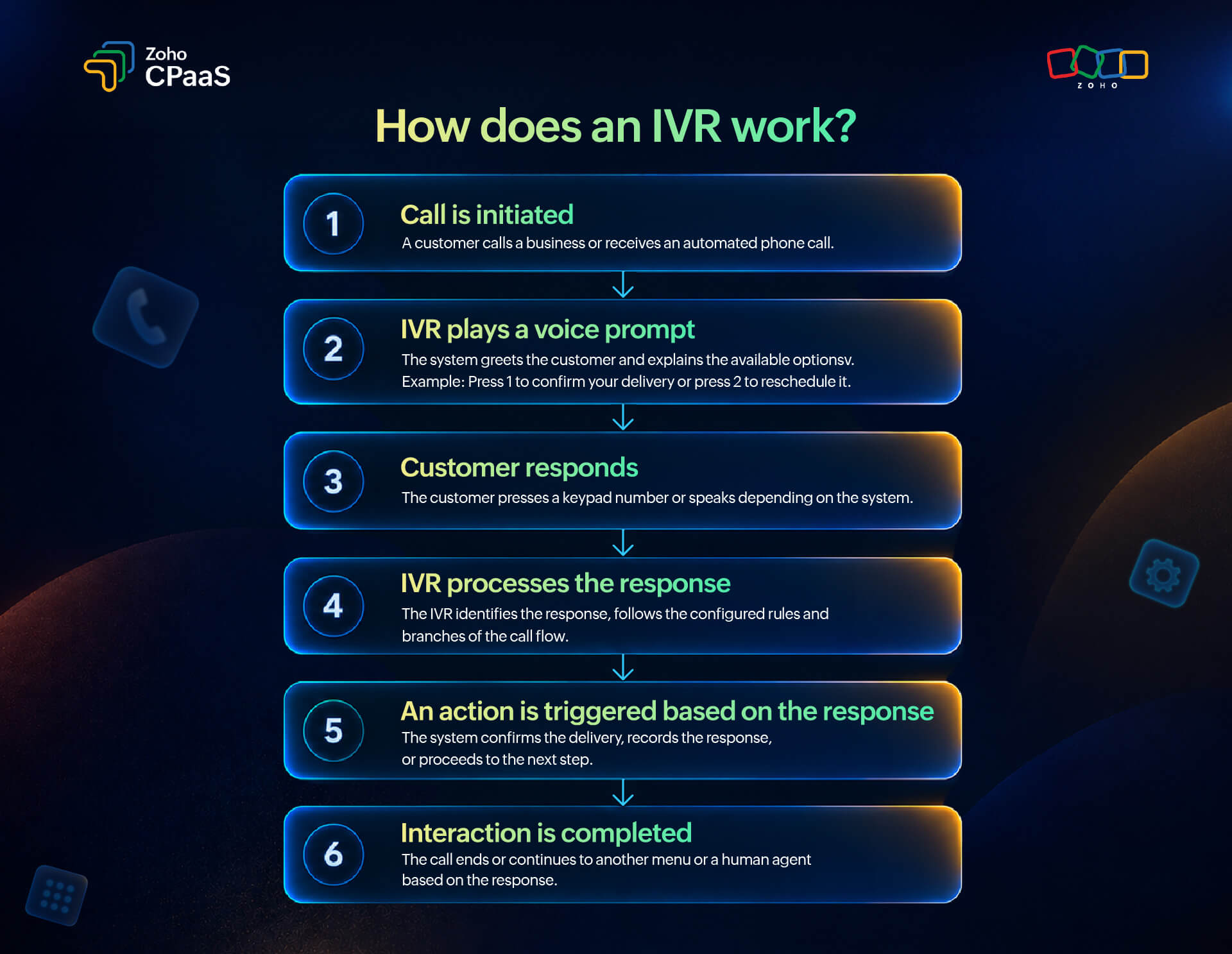
Here's how a typical IVR interaction works:
The call is initiated: A customer calls a business or receives an automated call from it.
A voice prompt is played: The system greets the caller and provides instructions or options. For example, "Press 1 to confirm your delivery or press 2 to reschedule it."
The customer responds: The caller selects an option using the keypad or speaks a response if voice recognition is supported.
The system processes the input: The IVR identifies the response and follows the configured call flow.
An action is triggered: Depending on the selection, the system may provide information, record the response, transfer the call, or move to another step.
The interaction ends or continues: The customer completes the task, navigates another menu, or connects with a human agent if that option is available.
IVR systems can use technologies such as dual-tone multi-frequency (DTMF) signaling for keypad inputs, pre-recorded audio, text-to-speech, and speech recognition. The technologies involved depend on the system's capabilities and configuration.
What are the benefits of IVR?
IVR offers several benefits for businesses that handle frequent customer calls or need to communicate time-sensitive information.
Automates repetitive tasks
Businesses often receive calls about routine matters such as order status, appointment confirmations, payment reminders, and account information. IVR can automate suitable interactions, reducing the need for employees to handle every request manually.
Improves customer accessibility
Customers can interact with an automated phone system without installing an app or accessing a website. This is particularly useful when customers have limited internet access or need information while on the go.
Reduces the workload on support teams
By handling common questions and simple requests, IVR can help support teams focus on complex issues that require human assistance. When necessary, a well-designed system can route customers to the appropriate team.
Enables faster customer interactions
Customers can complete simple tasks through a few keypad selections rather than waiting for an agent. This can reduce unnecessary transfers and make routine interactions quicker.
Supports communication at scale
Automated voice systems can handle large volumes of routine interactions without requiring a proportional increase in manual effort. This makes IVR useful for businesses with recurring notifications, reminders, and verification requirements.
Collects structured customer responses
IVR can collect responses such as appointment confirmations, delivery availability, and feedback ratings. Businesses can use this information to update workflows and determine the next action.
Provides a consistent experience
Automated prompts ensure that customers receive standardized information and instructions. Businesses can maintain consistent messaging across interactions while reducing the possibility of variations in routine communications.
IVR use cases across industries
IVR can support a wide range of business operations, from customer support to automated notifications. Here are some common use cases across industries.
Banking and financial services
Banks and financial institutions can use IVR to provide account-related information and automate routine customer interactions.
Common use cases include:
Payment due reminders
Transaction notifications and verification
Lost or stolen card reporting
Account information and service inquiries
Fraud alerts that allow customers to confirm or flag suspicious activity
For sensitive transactions, businesses should implement appropriate authentication and security controls rather than rely on basic keypad responses alone.
eCommerce and retail
Online retailers can use IVR to keep customers informed about orders and reduce the effort involved in managing delivery-related interactions.
Common use cases include:
Cash-on-delivery order confirmation
Delivery availability confirmation
Delivery rescheduling requests
Order status notifications
Feedback collection after delivery
For example, a delivery service can place an automated call asking a customer to press 1 to confirm availability or press 2 to request a reschedule.
Healthcare
Healthcare providers can use IVR to automate routine patient communication and reduce administrative workload.
Common use cases include:
Appointment reminders
Appointment confirmations or cancellations
Follow-up reminders
Clinic timings and general information
Patient satisfaction surveys
Messages should avoid unnecessarily disclosing sensitive patient information, especially when calls may be answered by someone other than the intended recipient.
Travel and hospitality
Airlines, hotels, travel agencies, and other hospitality businesses can use IVR to provide updates and collect customer responses.
Common use cases include:
Booking confirmations
Travel and check-in reminders
Reservation updates
Cancellation and rescheduling instructions
Feedback collection after a stay or trip
Telecommunications
Telecommunications providers can use IVR to automate routine service requests and guide customers to the appropriate support options.
Common use cases include:
Service interruption notifications
Plan and billing inquiries
Payment reminders
Network maintenance updates
Routing callers to technical support
Education
Educational institutions can use IVR to communicate important updates to students and parents.
Common use cases include:
Admission and application updates
Examination reminders
Fee payment notifications
Attendance-related alerts
Event and schedule announcements
SaaS and technology businesses
Software companies can use automated voice calls for account security, system alerts, and important service notifications.
Common use cases include:
Voice-based one-time passwords (OTPs)
Password reset verification
Critical system alerts
Service outage notifications
Security and suspicious-activity alerts
Across these industries, IVR is most useful when a phone interaction can deliver information or collect a response more effectively than another communication channel.
Best practice to follow while creating an IVR flow
An IVR system should make it easier for customers to complete their tasks. Follow these best practices when designing an IVR experience.
Keep menus simple
Avoid presenting too many options in a single menu. Group related choices and prioritize the most common customer requests so users can find what they need quickly.
Use clear and concise prompts
Keep instructions short, specific, and easy to understand. For example, "Press 1 to confirm your appointment" is clearer than a long explanation containing several instructions.
Provide an appropriate next step
Every menu option should lead to a meaningful action. If an option can't be processed, explain what the customer can do next instead of leaving them at a dead end.
Offer access to human assistance when needed
Automated systems can't resolve every issue. Where applicable, provide a way for customers to reach a human representative, particularly for complex, sensitive, or unresolved concerns.
Consider language and accessibility
Use languages that suit your customer base, and select voice prompts that are easy to understand. Give callers enough time to listen and respond, and avoid relying on sound alone when another accessible channel is appropriate.
Handle invalid inputs and timeouts gracefully
Customers may enter an incorrect key, remain silent, or disconnect before completing an interaction. Configure clear retry instructions and sensible timeout behavior, with a suitable fallback or termination path.
Integrate IVR with business systems
When appropriate, connect IVR to your CRM, order management system, booking platform, or payment application. Integrations can help the system retrieve relevant information, record responses, and trigger follow-up actions.
Protect customer information
Use appropriate authentication, limit the information spoken during calls, and follow applicable privacy and telecommunications regulations. Avoid requesting sensitive information unless the interaction has suitable safeguards.
Test and monitor performance
Test call flows before launch and review their performance regularly. Depending on the system, useful metrics may include call completion rates, response rates, failed calls, average call duration, and the number of callers who abandon an interaction.
Use these insights to identify confusing prompts, unnecessary steps, and areas where the call flow can be improved.
How to choose an IVR provider
Choosing the right IVR provider depends on your business goals, call volume, technical requirements, and the type of customer interactions you want to automate. Consider the following factors when evaluating providers.
Supported IVR capabilities
Determine whether you need basic keypad menus, speech recognition, conversational AI, outbound notifications, inbound call routing, or a combination of capabilities. Confirm that the provider supports the specific call flows your business requires.
API and integration support
If you want to trigger calls from your application, look for a provider with well-documented APIs, authentication options, and support for dynamic data. Integrations with existing business systems can reduce manual work and enable more personalized interactions.
Scalability and reliability
Choose a provider that can accommodate your expected call volume and growth. Review call delivery performance, available reporting, and the provider's approach to handling failures.
Customization and flexibility
Check whether you can customize voice prompts, configure branching logic, collect keypad inputs, and reuse call flows across different use cases. The ability to modify workflows without rebuilding the entire integration can save time.
Analytics and reporting
Look for reporting that helps you monitor call outcomes and troubleshoot issues. Useful information may include delivery status, call duration, response data, and failure reasons.
Security and compliance
Evaluate authentication methods, data-handling practices, available security controls, and the provider's support for applicable industry and regional requirements.
Pricing and billing
Understand how the provider charges for calls, phone numbers, call duration, and additional features. Compare the pricing model with your expected usage to estimate the total cost of ownership.
Documentation and technical support
Clear documentation, practical examples, testing tools, and responsive technical support can simplify implementation and troubleshooting.
Before choosing a provider, map your required call flow and test it with a representative use case. This helps you evaluate whether the provider's capabilities, pricing, and implementation requirements fit your business.
Does Zoho CPaaS Support IVR?
Yes. Zoho CPaaS supports IVR-style interactions within its voice channel for outbound transactional voice calls. Businesses can create voice templates within Zoho CPaaS spoken messages, keypad inputs, and branching logic to collect customer responses and guide the call through a predefined workflow.
Zoho CPaaS provides a visual voice flow builder for configuring call templates and an API for triggering calls from applications. It also offers call logs and analytics to help businesses monitor call outcomes.
Learn more about Zoho CPaaS Voice and explore the documentation to understand the available call-flow features and implementation requirements.
Wrapping Up
IVR helps businesses automate routine phone interactions, collect customer responses, and deliver important information without requiring a human agent for every call. From appointment reminders and delivery confirmations to verification calls and payment alerts, it can simplify repetitive tasks and make customer communication more efficient.
However, an effective IVR system depends on more than automation; clear prompts, simple menus, appropriate fallback options, secure handling of customer information, and regular performance monitoring are essential to creating a smooth experience.
FAQs
1. What is the main purpose of IVR?
The main purpose of IVR is to automate phone interactions by guiding callers through voice prompts and collecting responses. It can provide information, route calls, or trigger actions without requiring a human agent for every request.
2. What is the difference between IVR and an automated voice call?
An automated voice call plays a message to a recipient and may collect a response. IVR adds an interactive element, allowing the recipient to navigate options or provide input that determines what happens next. An automated outbound call can use IVR functionality.
3. Can IVR collect customer responses?
Yes. Depending on the system, IVR can collect keypad inputs, spoken responses, or other supported inputs. Businesses can use these responses to update records, determine the next step in a workflow, or trigger follow-up actions.
4. Is IVR suitable for small businesses?
Yes. Small businesses can use IVR to automate appointment reminders, delivery confirmations, payment reminders, and other repetitive phone interactions. The right solution depends on call volume, use cases, budget, and integration needs.
5. What is outbound IVR?
Outbound IVR is an automated calling system that contacts customers and guides them through an interactive voice flow. It can be used for appointment confirmations, delivery updates, verification calls, payment reminders, and feedback collection.