- HOME
- BI & Analytics
- What Are the Best Power BI Alternatives in 2026?
What Are the Best Power BI Alternatives in 2026?
- Last Updated : August 7, 2026
- 4.1K Views
- 13 Min Read
If you've been using Power BI for a while, you've probably hit at least one of these walls: surprise licensing costs when your team grew, hours spent debugging DAX formulas, or dashboards that crawl when you load real data. Power BI isn't a bad tool. For teams living in the Microsoft universe, it works well. But you're here because you're dealing with one of its pain points. Maybe the pricing stopped making sense. Maybe your non-technical team members keep asking you to build reports because they can't figure out DAX.
The good news? You're not stuck. The business intelligence (BI) landscape has evolved significantly, and there are now several strong alternatives that solve the exact problems Power BI creates. Some are easier to use. Some are more affordable as you scale. Some just work better if you're not running your entire tech stack on Microsoft.
This guide walks through the top Power BI alternatives in 2026 including what they're good at, where they fall short, and who they're actually built for. Whether you're a small business trying to keep costs down or an enterprise team looking for better performance and flexibility, we'll help you figure out which tool actually fits your needs.
Why you should look for PowerBI Alternatives?
While Power BI continues to be a big name in the BI world for years, it hasn't been the right fit for everyone. Many businesses are re-evaluating their BI tools, and Power BI often doesn't make the cut. Here's why:

Source: Reddit
High cost and licensing confusion
Power BI might seem affordable at the start, but once you add Pro licenses, Premium features, and additional Microsoft services, the total cost can increase significantly.
- Power BI Pro starts at $14/user/month, while Premium per user is $24/user/month
- Enterprise deployments using Premium capacity start at ~$4,995/month, making it a considerable investment for scaling teams
In addition, the presence of multiple licensing tiers often creates confusion around:
- Which features are available in each plan
- How data sharing works across users
- When upgrades to Premium become necessary
Steep learning curve
If you want to create anything beyond a basic report, features like DAX (Data Analysis Expressions) and Power Query demand technical expertise, making the platform less accessible for non-technical users.
- Building advanced calculations requires knowledge of DAX syntax and logic
- Data modeling and transformations can be difficult without prior experience
Users frequently report a steep learning curve for advanced features like DAX, especially for beginners.
Source: G2
Performance issues with large datasets
Slow load times and memory constraints while working with large datasets or real-time data can impact overall performance.
- Dataset size limits in non-premium tiers can restrict scalability
- Complex dashboards with multiple visualizations may experience delays
Users mention that dashboards become slower as data volume increases, and optimizing performance often requires manual tuning and data modeling expertise.
Source: G2
Which Microsoft Power BI Alternatives are Worth Considering in 2026?
1. Zoho Analytics
2. Qlik
3. Tableau
4. Sisense
5. Domo
1. Zoho Analytics
Zoho Analytics is a powerful yet user-friendly solution tailored for businesses of all sizes. Its transparent pricing, ease-of-use, and advanced analytics capabilities make it a standout alternative. Zia, an AI-powered assistant, makes data analysis easy even to non-technical users, enabling quick decision making. The platform offers more than 500 native data connectors for seamless integration. It's also scalable, handling both small and large datasets efficiently. In addition, Zoho Analytics has been recognized in the Gartner Magic Quadrant for Analytics and BI platforms, highlighting its strong value proposition and ease of use.
"Zoho Analytics gives us a superior edge over Power BI and Tableau, when it comes to the aesthetics of visualization."
Connor Nobert
Director of Analytics and Technology, Pulse LLC
Key features
Transparent pricing
What you see is what you pay. With Zoho Analytics, there are no confusing tiers or surprise add-ons. Get access to advanced features like - AI insights, generative AI, and predictive analysis and more without having to upgrade to the highest tier. Check out all the pricing plans.
Ease of use
Zoho Analytics is designed for everyone - from data pros to business users. With the drag-and-drop interface and guided dashboards, anyone can explore and create impactful visuals without writing a single line of code.
Seamless integration
With over 500 native data connectors, including data from files and feeds, databases, and other third-party apps, integrating your data is seamless with Zoho Analytics. Whether you're on Zoho apps, Salesforce, HubSpot, or Shopify, it just works.
AI-powered insights
With Zia, our built-in AI assistant, data analysis is made easier and smarter. Ask questions in plain English like "What's our tip selling product in the last quarter?" and get both textual and visual answers instantly. Zia also highlights patterns, forecasts trends, and detects anomalies so you're always one step ahead.
"The Ask Zia and Zia Insights features are so cool. I can ask for a specific agent name for their quarterly or monthly performance and get to see if their sales numbers are trending up or down, and from which geographic areas their sales are coming from. I can also dive into why they can't close deals in other areas and try to replicate the successful ones."
John Sheldon
Business Intelligence Manager, Renu Energy Solutions
Scalability and flexibility
Zoho Analytics easily scales as your data grows. Whether you're tracking a few thousand records or millions of rows across different systems, performance remains fast and reliable. It is built to grow with you - no matter your data size, team size, or deployment preference (cloud or on-prem).
Collaboration and mobility
Share reports, dashboards, and KPIs with your team in just a few clicks. Set smart data alerts, schedule reports, or collaborate via embedded dashboards. And with a fully native mobile app, your key metrics are always just a tap away and enable you to make decisions on the move.
Explore how Zoho Analytics compares with Power BI.
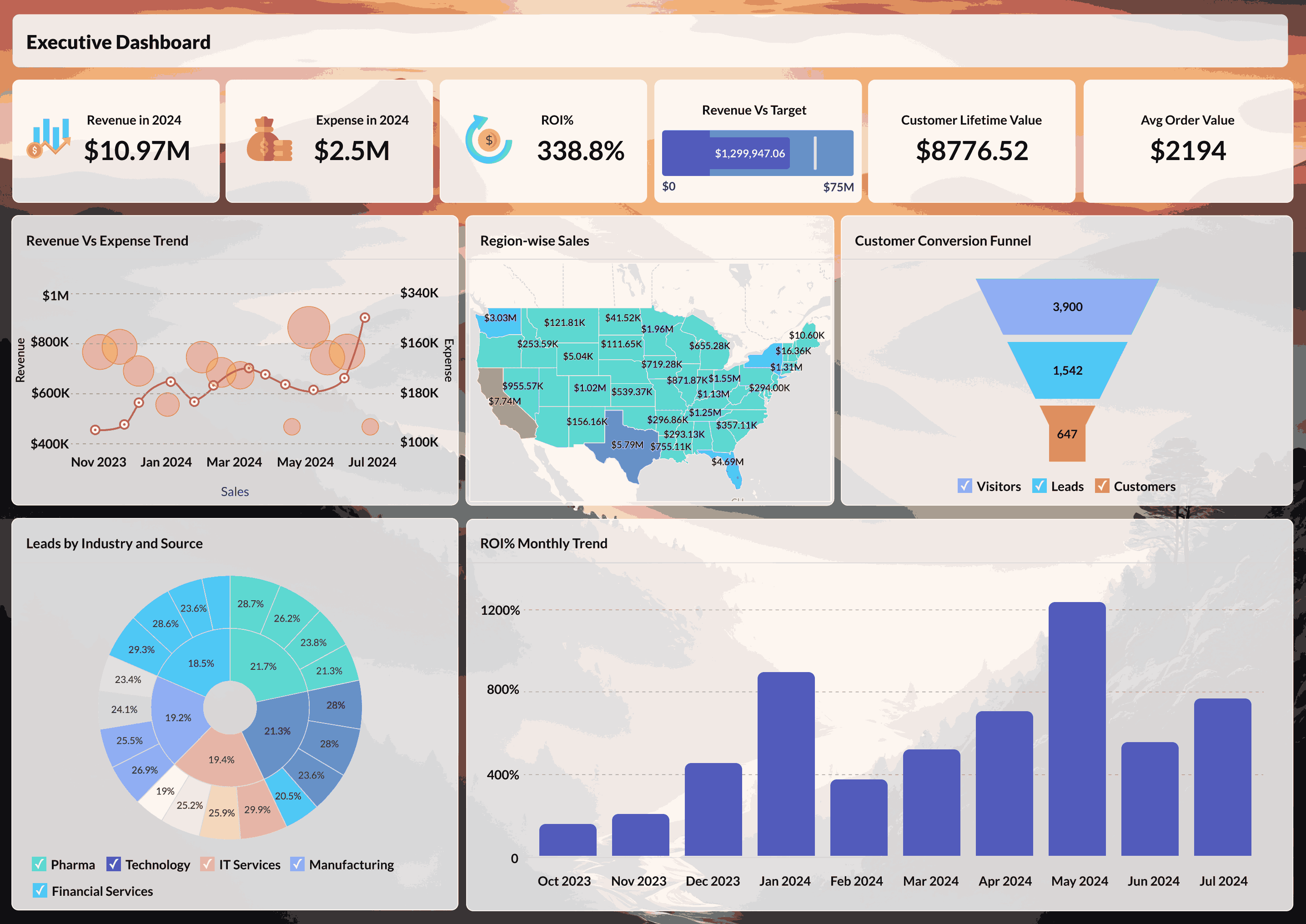
Zoho Analytics dashboard
2. Qlik
Renowned for its associative data engine, it enables users to explore data smoothly and uncover hidden relationships. Qlik's analytics capabilities and self-service approach make it a great choice for organizations prioritizing data discovery and exploration.
Key features
Associative data model
Scalability
Advanced visualizations
Deployment flexibility
AI-powered insights
How Does Qlik Compare to Microsoft Power BI?
Compared to Microsoft Power BI's linear approach, Qlik's associative data model stands out with its more intuitive way to explore and handle data. It's scalable and can handle large datasets and complex queries with better performance, making it a good option for businesses with extensive data needs. Explore how Zoho Analytics compares with Qlik.
3. Tableau
Why Tableau?
Tableau's advanced data visualization capabilities have made it a popular choice for businesses focused on creating dynamic, interactive dashboards. It's ideal for users looking to delve deeply into data and communicate insights effectively. Tableau is highly scalable and allows users to handle diverse datasets. Also, its flexibility in connecting to cloud, on-premises, and big data analytics sources ensures strong integration into workflows.
Key features
Wide range of data visualization
Broad integration
Advanced analytics
Strong community support
How Does Tableau Compare to Microsoft Power BI?
Tableau offers good data visualization capabilities, integrations, and advanced analytics. Unlike Microsoft Power BI's reliance on the Microsoft ecosystem, Tableau integrates with a wide range of data sources, which makes it highly adaptable to complex environments. With these features, Tableau stands out as an ideal solution for businesses that value actionable insights.
If you're weighing Tableau against Power BI specifically, we've put together a detailed Tableau vs Power BI feature and pricing comparison to help you decide. Also explore how Zoho Analytics compares with Tableau.
4. Sisense
Sisense is well known for its embedded analytics capabilities, making it a go-to choice for businesses wanting to integrate analytics directly into their products and workflows. Sisense offers a fully customizable platform, enabling businesses to create dashboards and visualizations for their unique requirements. Additionally, the platform has flexible deployment options, making it suitable for all businesses.
Key features
Embedded analytics
In-chip processing for large datasets
Customization
AI and ML integration
How Does Sisense Compare to Microsoft Power BI?
Sisense has advanced embedded analytics capabilities, allowing businesses to seamlessly integrate analytics into their applications directly. Sisense handles large datasets more efficiently than Microsoft Power BI with its in-chip processing, ensuring faster performance. Explore how Zoho Analytics compares with Sisense.
5. Domo
Domo is a cloud-native platform designed to streamline data access and visualizations for real-time decision making. Its focus on connecting and leveraging data across an organization makes it ideal for businesses looking for a comprehensive view of operations. Domo also provides prebuilt apps and connectors, making customization quicker and easier.
Key features
Cloud-native platform
Connects with a wide range of data sources
Prebuilt apps
Mobile accessibility
How Does Domo Compare to Microsoft Power BI?
Domo's cloud-native architecture offers greater flexibility. This allows Domo to integrate with a wider range of tools and platforms, making it accessible for businesses with diverse systems. Domo also provides instant insights and enables faster decision making. These advantages make Domo a strong choice for businesses seeking actionable and real-time insights. Explore how Zoho Analytics compares with Domo.
Honorary mention: Looker
Looker is a Google Cloud product and a leading choice for SQL-based analytics and real-time data exploration. Looker enables teams to define and standardize metrics across the organization with its LookML modeling language, while its scalability meets the growing demands of businesses of all sizes.
Key features
SQL-based modeling
Easy Google Cloud integration
Real-time analytics
Customization and collaboration
How Does Looker Compare to Microsoft Power BI?
Looker's integration with the Google ecosystem streamlines data management and deployment, offering an edge over Microsoft Power BI's dependence on the Microsoft environment. Looker provides instant insights without the limitations of Microsoft Power BI's batch processing. These strengths make Looker a fantastic choice with its data modeling and Google-centric approach. Explore how Zoho Analytics compares with Looker.
What Should You Look for in a Power BI Alternative?
Ease of use
A solid BI tool should deliver power without unnecessary complexity. Ease of use comes down to how quickly someone - whether they're a data analyst or a business manager - can get started without extensive training. A best Power BI alternative must provide a clean interface, drag-and-drop report creation, ready-made dashboards, and smooth onboarding. The less time your team spends figuring out how to use the tool, the more time they can spend actually using data to make decisions.
Advanced analytics and AI capabilities
Business Intelligence has moved far past simple, static charts. Today's modern BI tools are expected to leverage artificial intelligence and machine learning to uncover deeper insights. This means having features like natural language queries where you can ask questions in plain English and get answers, predictive analytics for trend forecasting, anomaly detection, and AI-driven recommendations. These features shift BI from just describing the past to anticipating the future and guiding action.
Data connectivity and integration
The value of any BI tool depends on the data it can access. A strong Power BI alternative should seamlessly connect to a variety of sources sources including databases, spreadsheets, cloud apps, CRMs, and even real-time data streams. The simpler it is to connect all your business systems into place, the closer you get to having a true single source of truth that drives smarter, faster decisions.
Data preparation and blending
Data in its raw form is often messy and not ready for immediate analysis. That's why having built-in data preparation features is crucial in a BI tool. Functions like cleaning, transforming, enriching, and blending multiple datasets save enormous amounts of time and reduce dependency on IT teams. Whether it's joining sales data from your CRM with customer service data from your helpdesk or blending marketing campaign results with website analytics, the right BI platform should make these effortless and efficient.
Customization and collaboration
Every business has unique needs, and a BI tool should adapt to them. The best alternative to Power BI must let you create beautiful data visualizations, customize dashboards, metrics, and reports to match your business goals. Equally important is collaboration. Teams should be able to share reports, co-create dashboards, add comments, and set role-based permissions. This ensures data doesn't live in silos but becomes a shared asset across departments.
Flexibility and sharing
A modern BI tool should fit into the way your business works. Look for platforms that support different deployment options like cloud, on-premise, or hybrid, along with the ability to embed analytics directly into your applications and provide secure sharing through links, scheduled email reports, or exports. This ensures everyone who needs data can access it in the format that works best for them.
Pricing and affordability
Cost is a deciding factor when it comes to choosing the right BI tool. Beyond the base subscription, consider the long-term value. Look for any hidden charges for additional users, storage, or advanced features. The best BI tools balance robust functionality with affordable and transparent pricing models so your analytics budget doesn't spiral out of control as your company grows.
Mobile accessibility
Decision-making doesn't just happen at a desk. Mobile accessibility ensures that tour team can check dashboards, monitor KPIs, and respond to business changes on the go. Look for BI platforms with fully functional mobile apps or responsive dashboards that work seamlessly across devices. Mobile apps make it easy for executives or field teams in different locations to stay informed and act quickly with real-time insights at their fingertips.
"With Zoho Analytics, our sales agents have dashboards and can see their performance, the profit they create per order, and targets for the month. This is crucial for our sales team. This deep analysis was not possible before in Excel sheets or in our existing ERP system."
Toni Wall
Director of Market Development, The Collins Companies
How does Zoho Analytics compare to Power BI?
The honest answer: it depends on what stack you're already in.
If your org runs Microsoft 365, Azure, and Teams, Power BI has a real structural advantage. It connects to those tools directly and lives in the same admin environment your IT team already manages. Switching adds overhead. If you're not in the Microsoft ecosystem, that advantage disappears. Power BI's deeper features, specifically building custom calculations, require learning DAX. DAX has a steep learning curve. Most non-technical users don't get past basic reports without dedicated training or a data analyst setting things up first.
Zoho Analytics is easier to get running for teams without a dedicated BI analyst. The report builder works without writing formulas. Zia, Zoho's AI assistant, handles natural language queries. Whether that replaces DAX depends on what you're actually building. On pricing, the gap widens as your user count grows. Power BI Pro is $14 per user per month. Power BI Premium Per User is $24. Enterprise-wide Premium capacity starts at $4,995 per month. Zoho Analytics plans start from $8 per user per month. For companies under 50 users who don't need Premium features, Zoho Analytics costs less.
Where Power BI still has an edge: the connector library is larger, and the community is deeper. If you're solving a complex modeling problem and need help, you're more likely to find an answer in Power BI forums than Zoho's. That gap matters when your analysis gets complicated. If you're running Zoho CRM or Zoho Books already, data flows into Analytics without extra setup. That removes one of the main switching costs. For teams already deep in the Microsoft stack, Power BI is harder to move away from. For everyone else, Zoho Analytics is worth a real evaluation.
Which Power BI alternative is Right for You? (Quick Comparison)
| Tool | Best for | Starting price | Key strength |
| Zoho Analytics | All-in-one self-service BI | Starts at ~$24/month (2 users) | Easy to use, AI-powered insights, strong value for money |
| Tableau | Advanced data visualization | ~$75/user/month | Powerful visualizations and analytics |
| Qlik Sense | Associative data exploration | ~$30/user/month | Flexible data exploration engine |
| Looker | Data modeling & enterprise analytics | Custom pricing | Strong data governance and modeling |
| Sisense | Embedded analytics | Custom pricing | Scalable and developer-friendly |
Among these, Zoho Analytics stands out as a balanced alternative, offering powerful analytics capabilities without the complexity and high costs associated with traditional BI tools.
Final thoughts
Choosing a BI platform comes down to your specific situation. Power BI works well for organizations invested in Microsoft, but it's not the only option. If you're dealing with rising costs, a steep learning curve, or integration challenges outside the Microsoft ecosystem, the alternatives covered here each solve different problems:
- Zoho Analytics: Straightforward pricing, AI features without technical expertise required
- Qlik: Flexible data exploration
- Tableau: Advanced visualizations for data-heavy work
- Sisense: Embedded analytics for product teams
- Domo: Real-time insights, cloud-native
- Looker: Google Cloud integration
The right choice depends on your team size, technical capabilities, existing tech stack, and budget. Look at what's causing friction with your current setup like cost, usability, performance, or integration gaps, and pick tools that fix those specific problems. Most platforms offer free trials where you can test with your actual data. Involve the people who'll use it daily and watch for hidden costs that show up as you scale. And, your BI tool should make data accessible, not create new problems. Pick the one that fits how your team actually works.
Make the switch today by signing up for a 15-day free trial or get a personalized demo and turn your data into actionable insights.
Choose simplicity. Choose Zoho Analytics.
FAQ
What is the best alternative to Power BI for small businesses?
Zoho Analytics is the best alternative for small businesses due to its transparent pricing ($24/month for 2 users), user-friendly interface, and AI-powered insights that don’t require technical expertise. Unlike Power BI where costs escalate with Pro licenses and Premium features, Zoho provides all core capabilities in its base plans without hidden fees.
Which Power BI alternative is cheapest?
For organizations wanting vendor support, Zoho Analytics ($8 per user per month) offers the lowest commercial pricing with full enterprise features included.
Which tool is easiest to use without DAX?
ThoughtSpot eliminates the need for any formula language through its natural language search interface. Zoho Analytics comes close with its AI assistant Zia and drag-and-drop interface that requires no coding. Both are dramatically easier to adopt than Power BI’s DAX-dependent advanced features.
What’s better than Power BI for non-Microsoft stacks?
Looker for Google Cloud environments, Amazon QuickSight for AWS-based architectures, and Zoho Analytics for platform-agnostic deployments all provide better integration than Power BI for non-Microsoft technology stacks.
Which BI tool has built-in AI and forecasting?
Zoho Analytics (Zia AI assistant with ML capabilities), ThoughtSpot (SpotIQ AI engine), and Power BI (Azure AI integration) all offer built-in AI and forecasting. However, Zoho Analytics and ThoughtSpot include these features in base pricing, while Power BI’s advanced AI capabilities often require Premium licensing.
Is Zoho Analytics better than Power BI?
Zoho Analytics is better for small to mid-sized businesses seeking cost-effective pricing, teams wanting AI without learning DAX, and non-Microsoft environments. Power BI is better for large enterprises embedded in Microsoft 365/Azure. The “better” choice depends on your organization’s size, technical capabilities, and budget.
 Vinisha
Vinisha is a Marketing Analyst at Zoho Analytics with a strong passion for both marketing and data. She’s naturally curious about trends and loves diving into data to uncover what drives effective campaigns. She has a knack for simplifying complex information and presents insights in a relatable and engaging way that connects with audiences. Outside of work, she enjoys exploring the creative side of digital marketing.