- HOME
- Email sending
- Boost engagement for transactional emails using email preheaders effectively
Boost engagement for transactional emails using email preheaders effectively
- Published : December 18, 2025
- Last Updated : January 16, 2026
- 712 Views
- 8 Min Read

For most people, email is as simple as clicking send, but if you're a business sending out emails to your customers, it’s a brand experience—especially when you’re sending important and time-sensitive emails like transactional emails.
These operation-critical emails need to stand out in your customer's inbox amongst the heap of emails pouring in. To catch your customer’s attention, the first impression is crucial and it comes in three parts—the From address, the subject, and the sometimes overlooked preheader/preview text.
This element can significantly influence engagement. This article will explore what a preheader text is, why it matters, and how you can use it to make your emails better.
What is an email preheader or preview text?
An email preheader or preview text is the short line of text that appears below or next to the subject line of the email in the mailbox listing. It is often viewed as a summary or peek into the content of the email. In transactional emails—where trust, clarity, and anticipation are vital—preheader text acts as a secondary headline, helping recipients instantly understand the importance of the email.
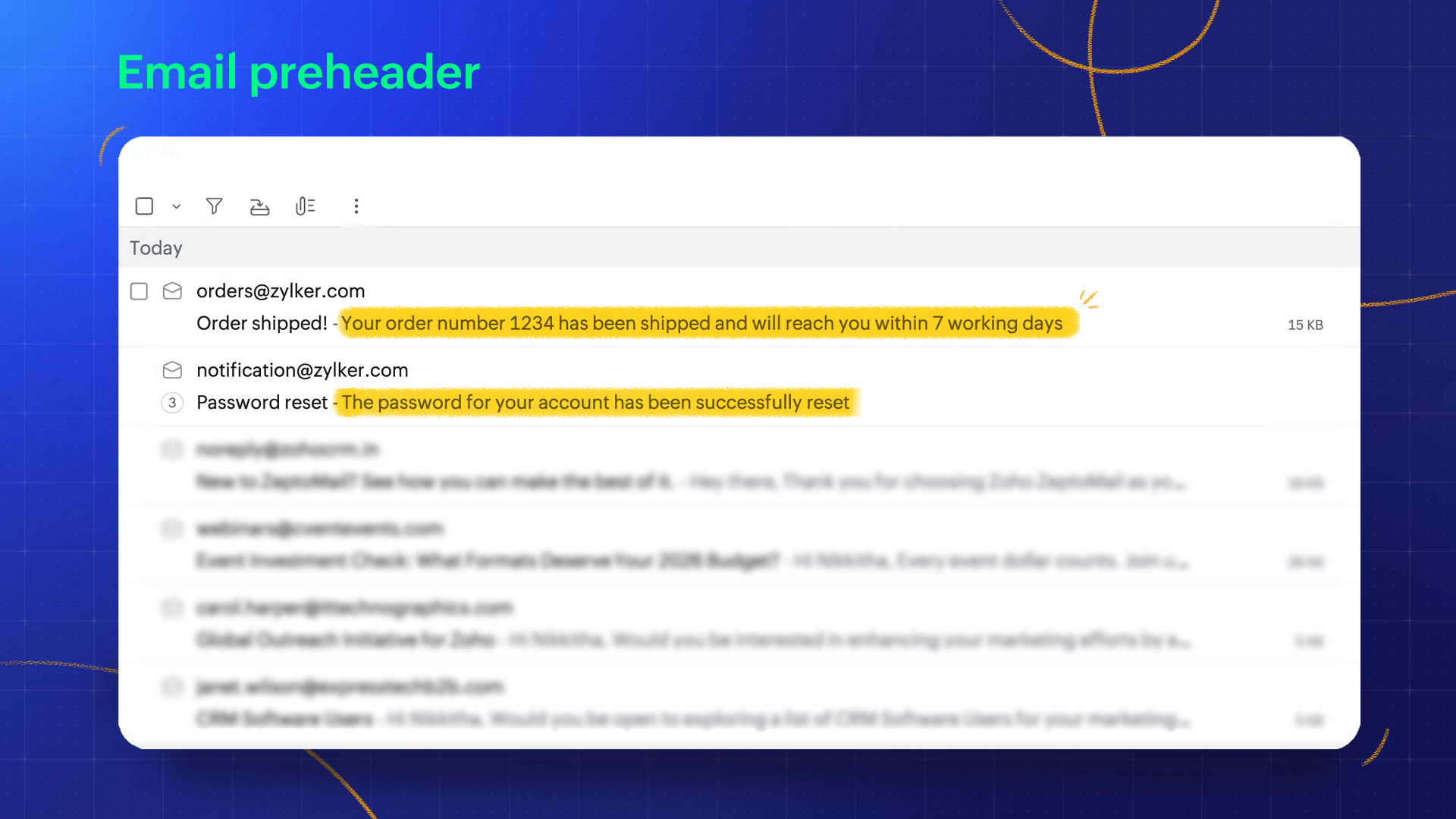
While most email clients support this, how the preheader text is fetched or chosen may vary based on the email type and the client. In personal emails, the preheader text is often pulled from the first line of the email body itself. In other automated emails from businesses, there are email tools or codes that allow you to define what you want the preheader to be.
Why is the preheader text important?
Transactional emails—such as order confirmations, password resets, and account notifications—are among the most frequently opened types of email communication. Yet even these essential messages can benefit greatly from thoughtful design and copywriting. With overcrowded inboxes everywhere you look, every sender needs to use the real estate available in the email listing to optimal capacity to ensure better open rates. For marketing emails, the preheader is often meant to invoke curiosity and sell. On the other hand, transactional emails are user-triggered, so the job of the preheader is to inform, reassure, and reinforce trust.
Here's why preheader text is important for email.
Increases engagement
Every inbox is flooded with emails from businesses trying to stand out. It won't matter how important your email is or how well you've communicated it if the email goes unread simply because your customer failed to notice it. This is why every sender should capitalize on the space they have available in the email preview. The preheader text will help convey the importance or urgency of the email and improve open rates.
Example:
Subject: [Action needed] Payment failure
Preheader: Update payment information to avoid service disruption.
Sets expectation
Long subject lines can be truncated on smaller devices or in certain email clients. Sometimes, transactional email messaging is used for marketing emails, hoping for better open rates. For example, "Your order is on the way... is a message you can receive if you order now at 40% off." It’s difficult to show proof of authenticity for transactional emails in the limited space of subject lines. A well-crafted preheader text reduces confusion by highlighting the action or update and provide more information on the purpose of the emails.
Example:
Subject: Reset your password
Preheader: Click the link below to securely update your account credentials.
Builds your brand voice
Transactional emails are functional and operational but they’re still brand experiences. A consistent tone and friendly preheader text can strengthen recognition and trust. While the subject has to be kept extremely short, you can use the slightly longer real estate of the preheader to build your brand voice.
Example:
Subject: Your order has shipped!
Preheader: Track your package anytime from your dashboard. Thanks for choosing us.
Personalize emails
A subject line needs to be short, so it may not be the best place to include personalized information. Using a preheader text, you can personalize the email to your recipient and boost the relevance to make it feel more tailored. For example, you can include the recipient’s name and details about the action that triggered the transactional email.
Example:
Subject: Order placed
Preheader: Hey, Raina! Super glad that you chose to shop at Zylker today.
Enhance accessibility
Preheaders are also a great tool to improve accessibility. For users relying on screen readers or mobile previews, preheader text will provide valuable context even before the recipient opens the email. Accessibility-conscious design should ensure that the preheader accurately reflects the content of the email to provide the right context.
Example:
Subject: One-time password
Preheader: Find your OTP from Zylker inside
How long should email preheader text be?
The perfect length for preheader text isn’t a universal value. It varies widely depending on what you're trying to accomplish with the preheader and which email client and device the email is viewed from.
If you're simply trying to grab the recipient’s attention and build curiosity, you can keep the preheader short; whereas if the text is meant to communicate important information, you'll have to use a longer preheader text. Similarly, viewing the email preview on the desktop will mean that you have more space to work with, while a mobile email preview will truncate the preheader text.
Here are some of the preheader display lengths across different email clients and devices:
Client | Device | Displayed preheader length (characters) |
|---|---|---|
Zoho Mail | iPhone | 30–90 |
Zoho Mail | Desktop | 80–100 |
Gmail | iPhone | 30–39 |
Gmail | Android | 24–40 |
Gmail | Desktop | 90–110 |
Apple Mail | iPhone | 82–99 |
Apple Mail | iPad | 75 |
Outlook | Desktop | 35–55 |
Outlook | App versions | 55–90 |
The right way to decide the length for your preheader text is to analyze your email audience. Use email analytics and tracking to figure out which device or email client your emails are accessed from the most. While one length won't fit all of these devices, you can pick a length that will suit most of your audience.
Things to remember when picking the length:
In some clients, the subject line and preheader are displayed on the same line. In these cases, the subject line could determine how much space your preheader gets.
If the preheader is too short, content from the email body may be pulled to fill the empty space, making the preview less seamless.
Your email is accessed through a wide variety of devices and clients, so remember to craft the preheader in multiple content chunks so even if the text is truncated it will still make sense.
Preheader text that’s less than 90 characters will cover most of the use cases but the perfect preheader will vary with every sender and every email.
Crafting an effective email preheader text
Content best practices
Value addition
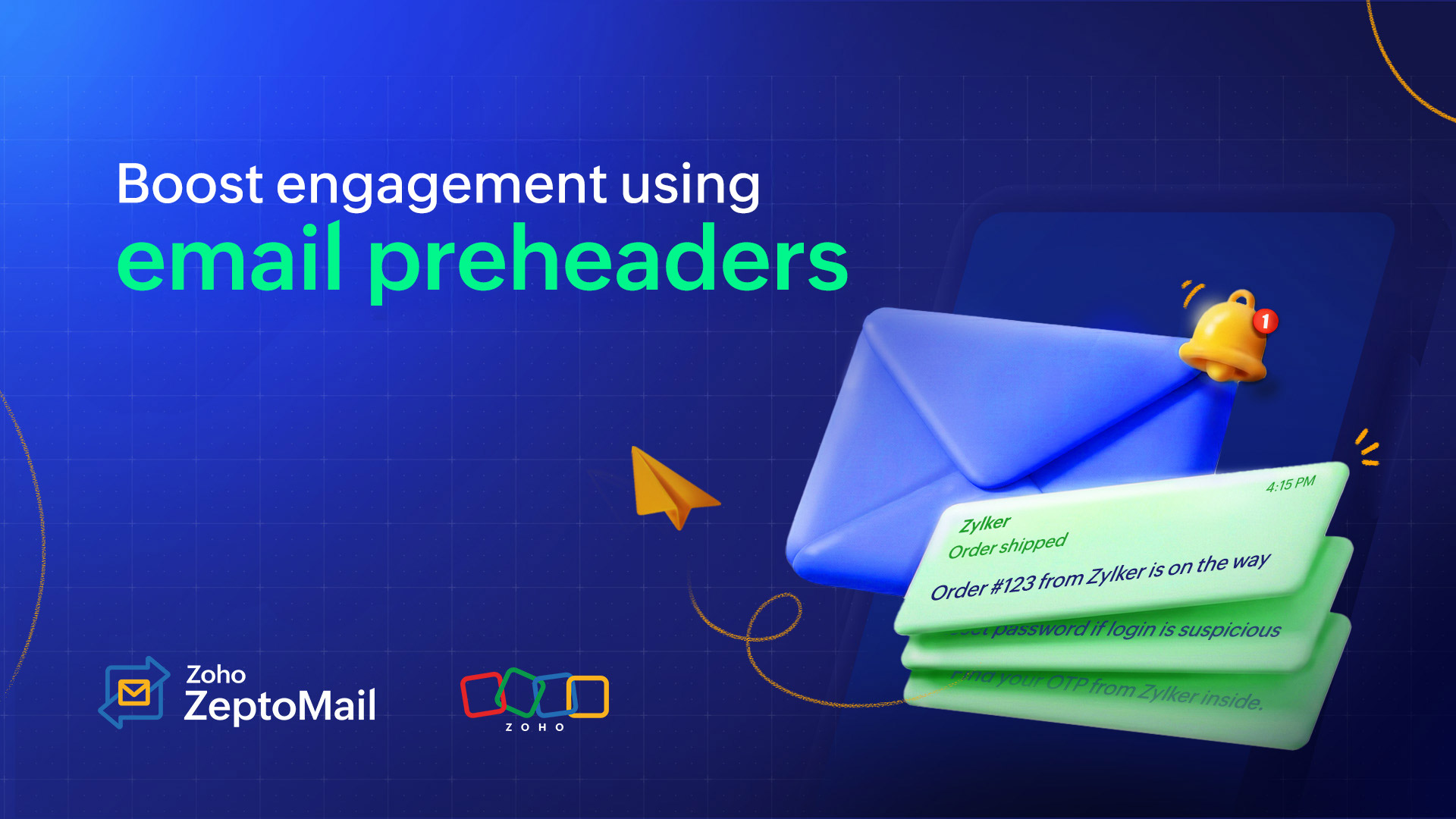
The preheader text content should never repeat the subject line. With preheader text being prime real estate , avoid wasting it by repeating information that’s already been shared in the subject line. The preheader text should reinforce or complement the subject line. If the subject line states the action, the preheader should confirm the outcome, next step or related information.
Example:
Subject: Order shipped
Preheader: Order #123 from Zylker is on the way
Clear and concise
Make sure that the preheader text gets right to the point and only carries relevant information. Especially when it comes to transactional emails, where the preheader is meant to inform, it’s best to keep it concise.
Example
Your booking for Nov 12 is confirmed
Reset password if login is suspicious
Important information at the forefront
The length of preheader changes across devices and email clients. Your preheader may get truncated on smaller devices or even due to some user settings. To make sure you're getting the information across, make sure to put the most important information at the start of the preheader text so it’s visible even on small devices.
Personalized content
While the subject line itself is usually generic, you can use the preheader text to make the preview more personal. Incorporating user details can enhance clarity and reassure authenticity—especially for sensitive actions.
Example
Subject: John, your password has been updated
Preheader: Update made on Nov 6 at 9:45 AM. Didn’t request this? Secure your account now.
Relevant and transactional
Clarity is more important than cleverness in transactional communication. Keep the content relevant to the transactional email and avoid marketing buzzwords or unnecessary filler.
Example
“Your trip booking for Nov 12 is confirmed.” (Relevant and informative)
“Great news! You’re one step closer to your next adventure.” (Vague fillers and no value addition)
Brand voice
Every email you send out—even transactional emails—are brand experiences and an opportunity to embed your branding in the customers’ minds. Ensure that the preheader text matches the tone and style of your brand, even in automated receipts and notifications, for a cohesive customer experience. If you're a quirky brand, be creative with the preheader and more serious if your brand voice is meant to be more professional.
Call to action
Most transactional emails intend for the customer to take a particular action or to take the next steps in the process. Reinforce the primary CTA with your preheader, such as “Reset password now to secure your account” so that your email preview conveys that the email requires attention.
Technical best practices
Testing across devices
It’s not just the length that varies in different devices and email clients. Each client (Gmail, Outlook, Apple Mail) handles preheaders differently and your preheader should stay consistent across all of them. Always test your emails and preheaders on different devices.
Dark mode compatibility
While the email interface, themes, and layouts aren’t always in your control, one thing that’s common for most clients is dark mode. If your preheader includes formatting or emojis, ensure that they’re compatible with dark mode. Look for readability issues on the dark background and find ways to make the text stand out without being overwhelming.
A/B testing
List most email elements, it’s best to try out different versions of the preheader text to see which provides the best success rate, especially since the preheader text is accessed across multiple interfaces.
Examples of email preheaders
Email type | Subject line | Example preheader |
|---|---|---|
Order confirmation | Your order #45321 is confirmed | Estimated delivery: Nov 12–15 |
Shipping notification | Your package is on the way | Track your shipment with one click |
Password reset | Reset your password | Password reset link valid for 30 minutes |
Payment confirmation | Payment received | Billed to Mastercard ending in 4421 |
Account creation | Welcome to Zylker | Get started by verifying your email |
Subscription renewal | Your plan has been renewed successfully | Next billing date: Dec 6, 2025 |
How to craft preheader text
1. Craft your content
The first step is to write a good preheader text. Depending on what your purpose is, use the best practices we’ve covered in this article to draft the perfect preheader text.
2. Add preheader text
You can add preheader text to your email using different methods depending on what works best for you and what’s available. You can add the text using code or using email tools.
Add using tools
In case of automated emails like transactional emails and marketing emails, your email service usually provides a way to mention what you want the preheader to be. In case that option isn’t available, you can use the code to display preheader.
Add using code
You can add the preheader text into the body of the email and use HTML div tags to map it to the preheader field. You can add the text into the body of the email and use the div style to hide the text from the actual email while displaying it as the preheader text in preview.
The div tag will look like this:
Ensure that the div tag is inserted at the very start of the email HTML so the body isn't fetched automatically.
<div style="display:none; font-size:1px; color:#ffffff; line-height:1px; max-height:0; max-width:0; opacity:0; overflow:hidden; mso-hide:all;">
Your order is confirmed. View tracking details inside.
</div>
display:none, opacity:0, and overflow:hidden keeps the text invisible in the email body.
max-height:0 and max-width:0 prevents extra spacing so the empty space doesn't show up in the email body.
mso-hide:all is specifically for Outlook desktop, ensuring it stays hidden.
Even though it’s visually hidden, email clients still read it and use it as preview text. While this works, using the email provider's tool is preferred.
3. Test and optimize
Use email tools or other means to test the email preview across devices and email clients. Use the insight to optimize the preheader text and formatting for most of your audience if not all or it.
Conclusion
While a preheader text may seem like a small detail, in transactional email, timing, clarity, and trust are critical. A well-crafted email preheader text improves user experience, boosts engagement, and reinforces trust. By not overlooking preheaders, you can make the text the most impactful.