- HOME
- Best practices & Guides
- How to create eSign-compliant signed agreements and contracts with Zoho Forms
How to create eSign-compliant signed agreements and contracts with Zoho Forms
- Last Updated : September 18, 2026
- 106 Views
- 15 Min Read

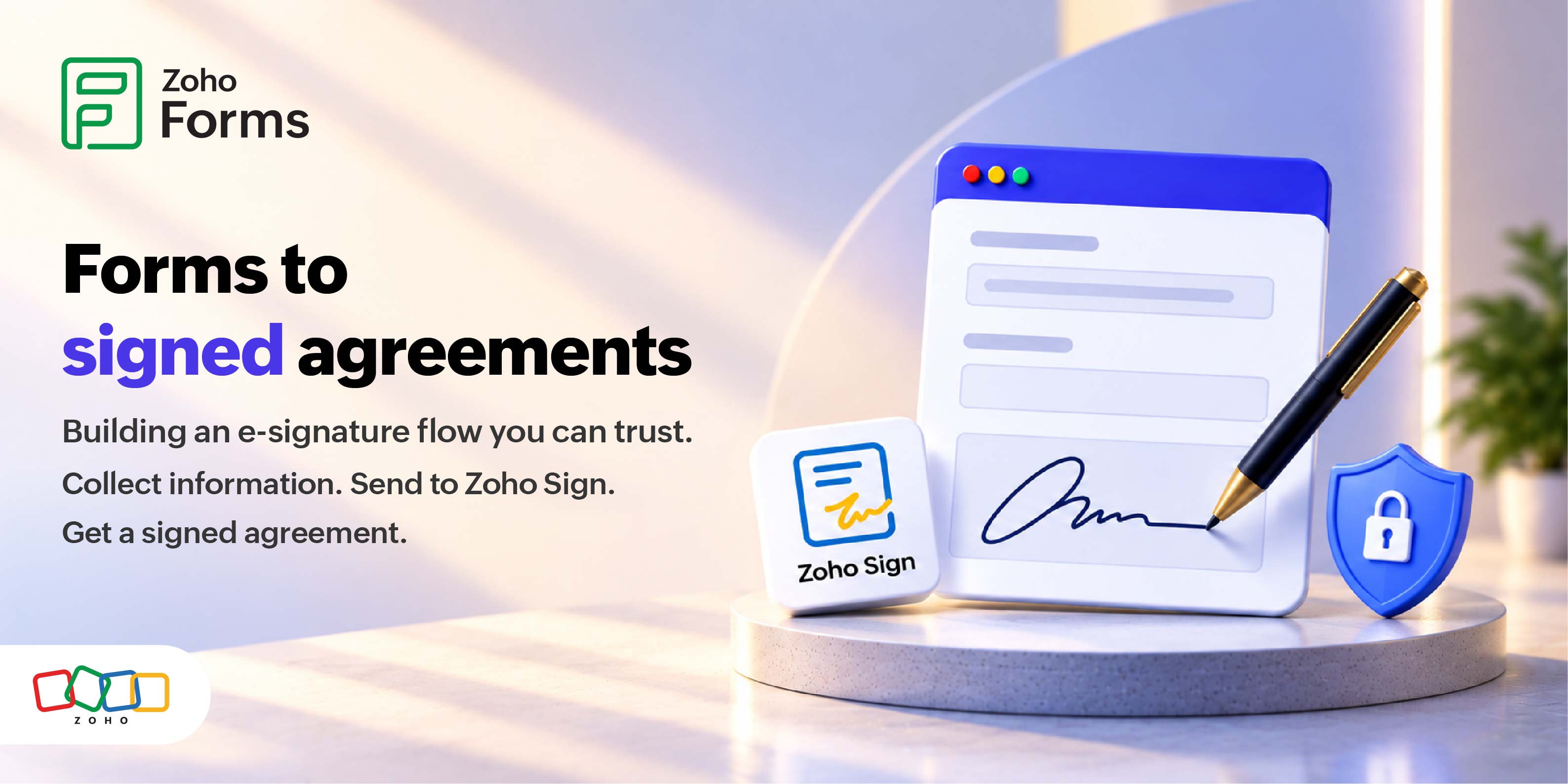
A signed contract only protects you if it holds up later when a client disputes the terms, an auditor asks for proof, or a deal goes to arbitration. Paper and scanned-then-emailed PDFs make that proof fragile. Signatures can be denied, dates get unclear, and the record of who agreed to what goes cold.
You can remove most of that risk at the point where the agreement is created: the form itself. With Zoho Forms, you can capture a signature inside the form using the Zoho Sign field, or route the completed agreement to Zoho Sign for a legally binding, timestamped, and auditable e-signature. This guide explains what "eSign-compliant" means, which laws apply, and how to choose the right method for each type of agreement.
In short: an e-signature is legally binding in most countries when the signer intends to sign, agrees to sign electronically, and the signed record is preserved and can be attributed to them. Your job is to build a form that captures all three and to match the signing method to the risk of the document.
What "eSign-compliant" actually means
An e-signature is compliant when it satisfies four criteria. Missing any one of these makes the agreement easier to challenge:
- The signer intended to sign
- They consented to sign electronically
- The signature can be attributed to that specific person
- The signed record is kept intact and available
Most e-signature laws share the same foundation. They don't require a particular technology; they require evidence that a real person agreed to specific terms at a specific time. That is why a form works well as the starting point. A good form collects the agreement text, the signer's identity details, their consent, and a timestamped record, all in one flow.
Here's a closer look at the four pillars of a compliant e-signature:
- Intent to sign. The signer takes a deliberate action to sign drawing a signature, typing their name, or clicking to confirm.
- Consent to do business electronically. The signer agrees that an electronic process counts as their signature. In many contexts this consent should be explicit.
- Attribution. You can tie the signature to the individual through identifiers such as email, verification, IP address, or a certificate.
- Record integrity and retention. The signed document is stored, tamper-evident where required, and retrievable if the agreement is ever questioned.
Key takeaways
- Compliance is about evidence, not a specific tool.
- Intent, consent, attribution, and a retained record are the core requirements.
- A well-built form can collect all four at once.
The e-signature laws you need to know
Electronic signatures are legally recognized in the United States, the European Union, the United Kingdom, Canada, India, Australia, and most other major economies each under its own law.
The details differ, but the direction is consistent: a signature isn't invalid just because it's electronic.
| Framework | Region | What it establishes | Signature tiers |
| ESIGN Act (2000) | United States (federal) | E-signatures and records are valid in interstate and foreign commerce | Single standard (intent + consent + attribution) |
| UETA (1999) | United States (adopted by 49 states; New York uses its own ESRA) | Validity of electronic records and signatures at the state level | Single standard, aligned with ESIGN |
| eIDAS - Reg. (EU) 910/2014 | European Union | Electronic identity and trust services; tiered signatures | SES, AES, QES |
| eIDAS 2.0 - Reg. (EU) 2024/1183 | European Union | Adds the EU Digital Identity Wallet; expands trust services | Makes QES more accessible |
| IT Act (2000) | India | Recognizes electronic and digital signatures (including Aadhaar eSign) | Electronic + digital (PKI) |
| PIPEDA / UECA | Canada | Validity of electronic documents and signatures | Single standard |
| Electronic Transactions Act (1999) | Australia | Validity of electronic transactions | Single standard |
The EU's three signature tiers
The EU is the most useful example because it defines levels of assurance you can map to document risk:
- SES (Simple/Standard Electronic Signature): Any electronic mark that shows intent, such as a typed name, a drawn signature, or a checkbox. Admissible, but with lower evidentiary weight on its own.
- AES (Advanced Electronic Signature): Uniquely linked to the signer, capable of identifying them, created using data under their sole control, and able to detect any later change to the document.
- QES (Qualified Electronic Signature): An AES backed by a qualified certificate from a Qualified Trust Service Provider and a qualified signature creation device. A QES carries the legal effect of a handwritten signature across all EU member states.
A recent shift: eIDAS 2.0 and the EU Digital Identity Wallet
The EU's framework is evolving. eIDAS 2.0 (Regulation (EU) 2024/1183) entered into force in May 2024, and by the end of 2026 every member state must offer citizens and businesses an EU Digital Identity Wallet. The wallet is designed to make higher-assurance signatures easier to obtain and to standardize identity verification across borders. If you sign agreements with EU parties, this is worth tracking, because it changes how signer identity can be proven.
This article is general information, not legal advice. E-signature requirements vary by country, document type, and industry. Some documents (for example, certain wills, court filings, and specific notices) may be excluded from electronic signing in some jurisdictions. Confirm what applies to your specific use case with qualified legal counsel.
Key takeaways
- E-signatures are recognized across most major markets.
- The EU's SES / AES / QES tiers are a practical way to match assurance to risk.
- eIDAS 2.0 and the EU Digital Identity Wallet are changing EU identity verification through 2026.
Electronic signature vs. digital signature
An electronic signature is the broad legal category for any electronic mark that shows intent to sign. A digital signature is one specific, cryptography-based method within that category that also verifies identity and detects tampering.
People use the terms interchangeably, but the distinction matters when the document is important.
| Comparison | Electronic signature | Digital signature |
| What it is | Broad legal category: any electronic mark showing intent | A cryptographic method (Public Key Infrastructure) a subset of e-signatures |
| Verifies identity | Depends on the method used | Yes, through a digital certificate |
| Detects tampering | Not inherently | Yes, any change to the document breaks the signature |
| Example in Zoho | Signature field (drawn or typed) | Zoho Sign (PKI-based, with an audit trail) |
Zoho Sign uses Public Key Infrastructure, which is what gives its signatures non-repudiation the signer can't credibly deny having signed, and any tampering after signing is detectable. The Signature field captures a simpler electronic signature, which is fine for lower-risk documents.
Two ways to sign inside a form: Signature field vs. Zoho Sign
Use the Signature field for quick, low-risk signature capture. Use the Zoho Sign integration when you need a legally binding contract with verified identity, a full audit trail, and tamper-evidence. Both start inside the same form, so you can choose the right option based on the context.
The Signature field is a drag-and-drop field you add to a form. Respondents sign by drawing or typing, and the signature is stored with the submission. It's well suited to internal sign-offs, simple acknowledgments, and low-risk consents where you mainly need a record that someone confirmed.
The Zoho Sign integration routes the completed agreement to Zoho Sign, which collects a legally binding e-signature and records every step of the signing process. It supports multiple signers, signing order, detailed logs, and through Qualified Trust Service Providers. Qualified Electronic Signatures for the EU. Zoho Sign's signatures comply with major e-signature laws including ESIGN, UETA, eIDAS, and PIPEDA.
Which one should you use
| If you need to… | Use |
| Capture a quick drawn or typed signature on a low-risk form (waiver acknowledgment, internal sign-off) | Signature field |
| Produce a legally binding, timestamped contract with a full audit trail | Zoho Sign integration |
| Collect signatures from several parties in a set order | Zoho Sign integration |
| Meet eIDAS AES or QES requirements for EU agreements | Zoho Sign integration (QES via a QTSP) |
| Write the signed agreement into Zoho CRM, Books, or WorkDrive automatically | Either method, through Zoho Forms integrations |
A simple rule: the higher the value or the stronger the identity assurance you need, the more you want Zoho Sign
How to set it up, step by step
You can build a signing form in minutes with no code. The setup differs slightly depending on whether you use the Signature field or the Zoho Sign integration.
Path A - Capture a signature with the Signature field
- Open Zoho Forms and create a form or choose one to edit.
- Drag the Signature field to the point where the respondent confirms the agreement.
- Add the agreement text (or a link to it) and a consent checkbox, such as "I have read and agree to the terms above."
- Set up email notifications and any integrations so the signed submission is stored in your records.
- Share the form link.
Path B - Collect a legally binding signature with Zoho Sign
- In your form settings, set up the Zoho Sign integration.
- Map your form fields to the document or template you want signed.
- Define the signer or signers and, if needed, the signing order.
- On submission, Zoho Forms sends the document to Zoho Sign, which collects the e-signature and records the audit trail.
- Signed copies and the completion certificate are stored and can be routed to your other apps automatically.
Path C - Configuring the Zoho Sign Field
- Drag and drop the Zoho Sign field into your form.
- In the field creation pop-up, map the form fields that capture the recipient's Name and Email to the respective mapping fields.
- Set both mapping fields as Mandatory.
- Under PDF Template, select the specific template you want the recipient to sign.
- Click Save.
[Workflow: Form submission → Zoho Sign signing request → signer authentication → completed, timestamped document → write-back to Zoho apps]
What a defensible audit trail includes
An audit trail is the evidence that proves a signature is real. A strong one records who signed, when, from where, how their identity was checked, and that the document hasn't changed since. This is what turns a signed file into something that holds up under scrutiny.
Checklist a compliant audit trail should capture:
- A timestamp for each action (viewed, signed, completed)
- The signer's identity and the authentication method used
- IP address and relevant device metadata
- A record of the signer's consent to sign electronically
- A document hash or equivalent tamper-evidence
- A completion certificate summarizing the signing event
Zoho Sign generates detailed logs of every step, which covers most of this checklist automatically. If you use the Signature field alone, plan how you'll retain the equivalent evidence submission timestamps, respondent details, and the stored record.
Best practices and common mistakes
Compliant signing is mostly about being deliberate: collect explicit consent, match the method to the risk, and keep clean records. Small process gaps are what get agreements challenged, not the technology.
| Do | Don't |
| Collect explicit consent to sign electronically | Assume consent from silence or a pre-checked box |
| Show the full agreement before the signature step | Ask people to sign terms they can't read in full |
| Use Zoho Sign for contracts, offers, and regulated documents | Rely on a basic captured signature for high-value agreements |
| Verify signer identity in proportion to the risk | Skip identity checks on anything that could be disputed |
| Store the signed document and its audit trail together | Keep the document but lose the evidence around it |
| Send each signer their own signed copy | Leave signers without proof of what they agreed to |
Common mistakes to avoid
- Treating a drawn signature as automatically "compliant" for every document. It depends on the law, the document, and the risk.
- Forgetting record retention. A valid signature you can't produce later isn't much help.
- Ignoring cross-border rules. A method that satisfies one country may fall short in another.
- Skipping the consent step to reduce form friction, and weakening the agreement in the process.
Expert tip: Decide your signing method by document type before you build the form, not after. Map "low-risk acknowledgment," "standard contract," and "regulated or high-value agreement" to the Signature field, Zoho Sign, and Zoho Sign with QES respectively then reuse those templates.
FAQ
1. Are electronic signatures legally binding?
In most countries, yes. Laws such as the ESIGN Act and UETA in the United States, eIDAS in the European Union, and PIPEDA in Canada give electronic signatures the same legal standing as handwritten ones, provided the signer intended to sign, consented to an electronic process, and the record is retained and attributable. Binding force depends less on the technology and more on that evidence. A small set of documents, for example certain wills, some family law matters, and specific court or statutory notices, may be excluded from electronic signing in some jurisdictions. For any high-value or regulated agreement, confirm the rules for your country and document type before you rely on an e-signature.
2. What's the difference between an electronic signature and a digital signature?
An electronic signature is the broad legal category: any electronic mark that shows a person's intent to sign, such as a typed name or a drawn signature. A digital signature is a specific method within that category. It uses Public Key Infrastructure to bind the signature to a verified identity and to detect any change made to the document after signing. All digital signatures are electronic signatures, but not all electronic signatures are digital. In Zoho, the Signature field captures a basic electronic signature, while Zoho Sign produces PKI-based digital signatures with an audit trail. For high-value contracts, a digital signature gives you stronger identity assurance and tamper-evidence.
3. Is the Zoho Forms Signature field legally valid on its own?
The Signature field captures an electronic signature, which can be legally valid for many low-risk documents where you mainly need a record that someone agreed. However, it's designed for basic online signature needs rather than compliance-heavy processes. For legally binding contracts, verified identity, tamper-evidence, and a full audit trail, use the Zoho Sign integration instead. A useful way to decide: if you'd be comfortable defending the document in a dispute using only a stored submission and timestamp, the Signature field may be enough. If the agreement carries significant financial, legal, or regulatory weight, route it through Zoho Sign.
4. When should I use Zoho Sign instead of the Signature field?
Use Zoho Sign whenever the document is legally binding, high-value, regulated, or likely to be disputed. Choose it when you need verified signer identity, tamper-evidence, a detailed audit trail, multiple signers in a set order, or Qualified Electronic Signatures for EU agreements. Zoho Sign complies with major e-signature laws including ESIGN, UETA, eIDAS, and PIPEDA, and records every step of the signing process. The Signature field is better for quick, low-risk capture such as internal sign-offs and simple acknowledgments. A practical rule: the higher the value or the stronger the identity assurance required, the more you want Zoho Sign.
5. What laws govern electronic signatures?
The main frameworks are the ESIGN Act (a US federal law from 2000) and UETA (adopted by 49 US states; New York uses its own ESRA), eIDAS in the European Union (Regulation (EU) 910/2014, updated by eIDAS 2.0), the Information Technology Act 2000 in India, PIPEDA and provincial acts in Canada, and the Electronic Transactions Act 1999 in Australia. Most share the same principle: an electronic signature is valid when the signer intended to sign, consented to sign electronically, and the record is retained and attributable. The specifics including which documents are excluded and what level of identity assurance is expected vary by jurisdiction, so check the rules that apply to your parties.
6. What is eIDAS, and what are SES, AES, and QES?
eIDAS is the EU regulation governing electronic identification and trust services, including electronic signatures. It defines three tiers. A Simple (or Standard) Electronic Signature, SES, is any electronic mark showing intent, such as a typed name or drawn signature. An Advanced Electronic Signature, AES, is uniquely linked to the signer, can identify them, is created under their sole control, and detects later changes to the document. A Qualified Electronic Signature, QES, is an AES backed by a qualified certificate from a Qualified Trust Service Provider and a qualified device; it has the legal effect of a handwritten signature across all EU member states. Match the tier to your document's risk.
7. What is eIDAS 2.0 and the EU Digital Identity Wallet?
eIDAS 2.0 is the updated EU framework for digital identity and trust services, introduced as Regulation (EU) 2024/1183 and in force since May 2024. Its centerpiece is the EU Digital Identity Wallet, a government-provided app that every member state must offer citizens and businesses by the end of 2026. The wallet lets people store verified credentials and prove their identity across borders, and it's designed to make higher-assurance signatures, including Qualified Electronic Signatures, easier to obtain. If you sign agreements with EU parties, eIDAS 2.0 matters because it standardizes how signer identity can be verified and reduces reliance on ad-hoc identity checks.
8. What makes an electronic signature "compliant"?
Compliance comes down to four elements. First, intent: the signer takes a deliberate action to sign. Second, consent: the signer agrees that an electronic process counts as their signature. Third, attribution: the signature can be tied to that specific individual through identifiers such as email, verification, or a certificate. Fourth, record integrity and retention: the signed document is stored, tamper-evident where required, and retrievable later. A compliant signing flow captures all four and produces an audit trail as evidence. The technology matters only to the extent that it delivers these outcomes, which is why matching the method to the document's risk is the key decision.
9. What should an audit trail include?
A defensible audit trail should record a timestamp for each action (viewed, signed, completed), the signer's identity and the authentication method used, the IP address and relevant device metadata, a record of the signer's consent to sign electronically, a document hash or equivalent tamper-evidence, and a completion certificate summarizing the event. Together, these prove who signed, when, from where, how their identity was checked, and that the document hasn't changed since signing. Zoho Sign generates detailed logs that cover most of this automatically. If you use the Signature field on its own, plan how you'll retain equivalent evidence through submission records and stored data.
10. Can I collect signatures from multiple people on one agreement?
Yes. For multi-party agreements such as contracts between a company and a vendor, or documents that need both a manager and an employee to sign, use the Zoho Sign integration. It supports multiple signers and lets you define the signing order, so each party signs in sequence and receives their own signed, timestamped copy. Every step is recorded in the audit trail, which gives you clear evidence of who signed and when. The basic Signature field is intended for a single signer capturing a simple signature, so for anything involving several parties or a required order, Zoho Sign is the right choice.
11. Are there documents that can't be signed electronically?
In some jurisdictions, yes. E-signature laws often exclude specific document types. Common examples include certain wills, codicils, and testamentary trusts, some family law documents, particular court filings, and specified statutory notices such as certain utility or insurance cancelations. The exact exclusions vary by country and sometimes by state or province. Because the list is jurisdiction-specific and changes over time, don't assume a document can be signed electronically just because e-signatures are broadly legal. When a document is sensitive, regulated, or unusual, confirm with qualified legal counsel whether electronic signing is permitted before you build the form.
12. How are signed documents stored and secured?
Signed documents collected through Zoho Forms are stored with your form submissions, and documents signed through Zoho Sign are stored along with their audit trail and completion certificate. Zoho Sign uses encryption and Public Key Infrastructure, which keeps the document tamper-evident: any change after signing is detectable. You can also route signed copies into other Zoho apps, such as WorkDrive for storage or CRM for record-keeping, so the agreement lives where your team already works. Whichever method you use, store the signed document together with the evidence around it timestamps, signer details, and consent so the record is complete if the agreement is ever questioned.
13. Do electronic signatures work across countries?
Often, but not automatically. Many countries recognize electronic signatures, and agreements signed in one may be honored in another, particularly where both follow similar principles of intent, consent, attribution, and record retention. However, the level of identity assurance expected can differ, and some jurisdictions require higher tiers (such as the EU's Qualified Electronic Signature) for particular documents. For cross-border agreements, especially high-value or regulated ones, use a method that meets the stricter of the two jurisdictions' requirements for EU parties, that often means Zoho Sign with a Qualified Electronic Signature and confirm the position with legal counsel.
14. Can I write the signed agreement back into my other systems?
Yes. Zoho Forms integrates with the wider Zoho ecosystem, so a signed agreement doesn't have to sit in isolation. You can route completed documents and their data into Zoho CRM to attach a contract to a deal, into Zoho Books for finance workflows, or into WorkDrive for storage, among others. This is one advantage of signing at the form layer rather than in a separate tool: the agreement and its context move together into the systems your team already uses, which reduces manual copying and keeps records consistent. Set up these connections in your form's integration settings before you publish.
15. Is a typed name a valid signature?
It can be. Under laws such as ESIGN, UETA, and eIDAS, a typed name can qualify as an electronic signature when it clearly shows the person's intent to sign and meets the other requirements around consent, attribution, and record retention. In the EU's tiers, a typed name generally falls under a Simple Electronic Signature, which is admissible but carries lower evidentiary weight on its own. For low-risk documents that's usually fine. For higher-value or disputable agreements, a typed name alone is weaker than a digital signature with verified identity and tamper-evidence, so route those through Zoho Sign instead.
16. How do I prove who signed if it's disputed?
This is where the audit trail and identity verification matter. To prove a signature in a dispute, you rely on the evidence recorded at signing: the timestamp, the signer's authentication method, IP and device metadata, the consent record, and tamper-evidence showing the document hasn't changed. Digital signatures add non-repudiation, meaning the signer can't credibly deny signing because the signature is cryptographically bound to their verified identity. Zoho Sign records these details and issues a completion certificate, giving you a clear evidentiary package. For any agreement you might need to defend, choose a method that produces this kind of record rather than a simple captured signature.