Digital Adoption Platform for ManageEngine ServiceDesk Plus

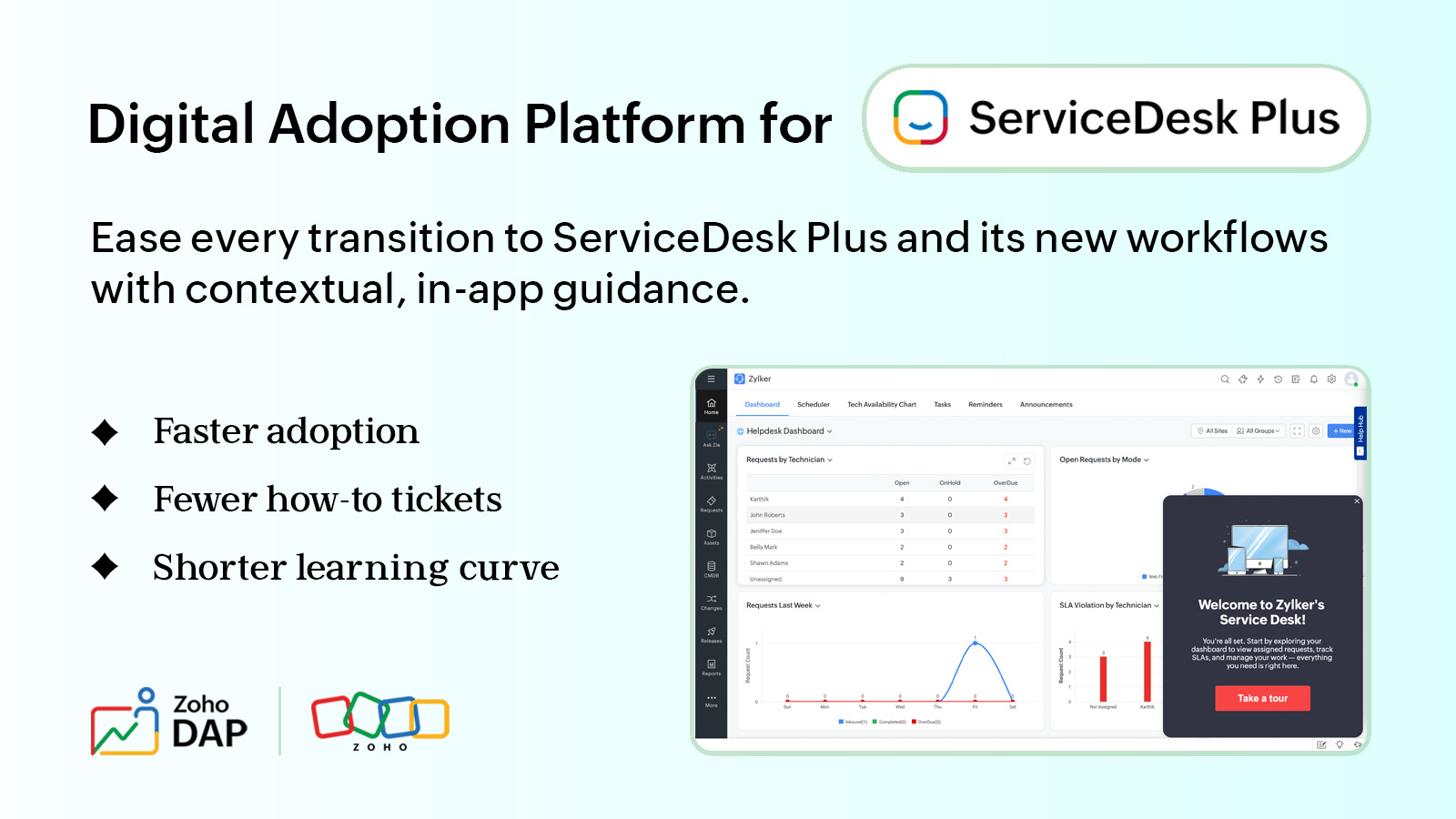
"We set up the ServiceDesk Plus self-service portal. Why are people still calling us?"
IT administrators often ask this after go-live. The portal is up, yet people keep working around it. An employee who needs a laptop charger still emails the service desk, another employee phones to ask for an update on their request, and technicians are unsure how to handle requests on the new tool.
Behind each of these is the same gap: nobody showed requesters and technicians how to use your service desk setup.
Where adoption breaks on a service desk
A service desk has two groups of users, and each one stalls in a different place.
Requesters get stuck in several places. They don't know whether to raise an incident or a service request, or which catalog item to pick, so they email the service desk and someone creates the request by hand. When they do use the portal, they leave out details technicians need, then phone the desk to ask where their request stands.
Technicians, including those with module-specific roles such as change manager, learn the basics in training, then forget the details. They enter whatever value lets them save the form and close requests with no resolution note. A problem record or asset form opened for the first time months later gets filled in by guesswork. Reports and SLA tracking then can't be trusted.
The result is a desk that is technically in use but not used the way you designed it. Request data gets patchy and self-service stays low.
Teams moving from an older service desk, a shared mailbox or a spreadsheet have another problem: habits. A technician with five years in the old tool knows where everything was, and now has to unlearn that while the queue keeps filling. Some people quietly go back: a team lead keeps the old spreadsheet "just for now," and requesters keep emailing the address they've always used.
Training doesn't fix this on its own. It happens once, before people have real work in front of them, and your ServiceDesk Plus setup exists nowhere else for a generic course to cover.
Zoho DAP, layered onto ServiceDesk Plus
Zoho DAP is a digital adoption platform. It sits on top of the application your teams already use and puts guidance on the screens they work in, so help appears inside the task.
You don't change your ServiceDesk Plus setup. Your portal, forms and workflows stay as they are, and DAP adds help on top. You decide what each group sees: requesters get a short tour of the portal, and technicians get a step-by-step guide on a form they rarely use.
ServiceDesk Plus covers more than the request queue: problems, changes, releases, projects, assets and the knowledge base. Each module has its own forms. DAP helps most in the ones people open once a month, such as the asset screen or a problem record.
It also eases the changeover from another tool. A technician looking for the old "close ticket" button can be shown where the same action lives now, at the moment they look for it. A banner can announce that the old mailbox is retiring and point requesters to the portal the same day.
What's inside, and where it helps
Picture a new technician's first week. They get a tour of the console, practice a first request in a safe copy of the screen, follow a guide through a form they've never used, and work down a checklist of what's left. DAP gives you different kinds of in-app help for different moments, from a user's first visit to a change in process.
Walkthroughs
A new technician opening the console for the first time gets a short tour at their own pace: here is where assigned requests sit, and here is where they reply and change a status. A requester visiting the portal for the first time can take a similar tour of the catalog and their open requests. After a release changes a screen, the walkthrough can be shown again to everyone who uses it.
Interactive videos
Instead of watching a recording, people practice in a safe copy of the real screen. A new technician can practice logging a request and resolving it, learning the steps by doing them, before handling a real employee's issue. A requester can practice raising a first request the same way, and anyone facing a changed process can rehearse it before it goes live.
Guides
Guides walk people through a process step by step, right on the screen where they do it. Take a rarely used module. A technician who logs a problem record or adds an asset only now and then won't remember what each field expects, so the guide sits in Help Hub on that form, or as a step in their onboarding checklist, and takes them through each step in order. A change request that needs approval is a harder case. A guide can walk the technician through each field and highlight the details that must be logged in the CMDB before the change goes for approval.
External links
External links bring content from outside the application into the screen. A requester raising a software request who isn't sure what's allowed can open your approved-software policy, hosted on the company intranet, without leaving the portal. A technician who meets an unfamiliar setting can open the relevant ServiceDesk Plus help page in place. In short, if a help link or explainer material already exists, link to it.
Banners
Banners announce news in the portal people already open every day, from a maintenance window to a new catalog item the day it goes live. When a process changes, for example when hardware requests start needing manager approval, a banner explains it where requesters will see it. Technicians see banners in the console too, for example to announce a revised escalation rule.
Help Hub
Help Hub is a toolbar that sits on the app screen. It holds interactive videos, guides, checklists and external links, each made for a different purpose, and the contents change with the screen the user is on. On the change screen, new technicians might find an interactive video that explains a critical task such as a server upgrade. On the software request form, requesters can refer to the new third-party software usage policy before they raise a request.
Checklists
Checklists take people through a set of tasks one item at a time, and each person ticks items off as they go. A new hire's first-week checklist might run from setting up their queue and learning the reply templates to resolving a first request. Existing employees can get one too, for anything the organization requires of them, such as reading a revised incident policy or completing a new step in an updated process.
Insights and audit
In a large organization, the people who own the service desk rarely see every team use it. Insights shows whether your in-app help is landing across teams: which tours get finished, which guides people keep reopening, and whether new technicians completed their first-week checklist. That turns a rollout review into a conversation about evidence. A guide that people keep reopening may point to a process that needs fixing, and a tour that few people finish may simply be too long.
Audit matters once several people manage content. When a banner disappears or the steps in a guide change, it shows who made the change and when, so you can trace a change back before deciding whether to keep it. For teams with review or compliance requirements, it also gives you a record of what users were told and when.
Getting people to use what you built
ServiceDesk Plus gives you the process. Zoho DAP helps your people follow it, so requesters pick the right catalog item and technicians enter the right details.
That shows up in the daily work. Requesters find answers on the screen, so the service desk gets fewer repetitive questions about raising a request or checking where it stands. Technicians follow the same steps each time, so the process stays organized and your reports reflect it. New users, including teams moving from another tool, settle in sooner with a tour, a practice run or a checklist.
Taken together, that is a better return on the ServiceDesk Plus you already pay for. Before buying another tool, look at how much of the one you have is actually in use.
The best way to see this is inside a real ServiceDesk Plus setup. If you're planning a rollout or trying to lift adoption, we'll show you how DAP fits the way your teams work.

Have a specific question first? Write to us at support@zohodap.com.
Comments