Fixing collaboration friction : Why collaboration feels hard and how Zoho Workplace fixes it

It’s never been easier to work together. Right now, your team can co-edit a document in real time, share files in a fraction of a second, and build a pitch deck with colleagues scattered across three different time zones. On paper, we're living in the golden age of productivity.
So why does daily collaboration still feel so heavy?
Think about your last project. It probably started out easy, but within a week, it fragmented into dozens of separate documents, disconnected folders, and wandering spreadsheets. Instead of doing the actual work, team members spend their mornings hunting for links, double-checking if "Version_4_Final_UPDATED" is actually the current version, and answering the exact same questions over and over.
We don't need more tools. We need less friction. Because while a single tool swap or a brief search may seem like a minor interruption, together they create a digital traffic jam that stalls decisions and turns simple tasks into complex hurdles.
It's time to talk how Zoho Workplace fixes this collaboration friction.
The hidden cost of collaboration friction
You’re in the zone, deeply focused on a project, when your notification ping snaps you back to reality. It’s a teammate asking a quick question:
- "Which version am I supposed to be reviewing?"
- "Wait, where did we share that file again; chat, email, or Drive?"
- "Has anyone actually updated these numbers yet?"
- "Can someone quickly drop the link to the latest deck?"
On their own, these aren’t difficult questions. They don't require rocket science to solve. Also, let's be clear: the problem isn't the questions themselves. The problem is that your team has to ask them in the first place. This is the textbook definition of collaboration friction.
When your documents, data sheets, and presentations live in isolated silos, your team is forced to spend more time managing the logistics of work than executing the actual work. The result is a non-stop cycle of searching, confirming, and repeating that bogs down timelines and drains creative energy.
Collaboration works best when work stays connected
Effective collaboration isn't about giving your team more digital places to log into. If anything, throwing more apps at a disjointed team just makes things worse. True productivity happens when you build a connected ecosystem where information flows naturally from one phase to the next.
Here's how Zoho Workplace helps create a frictionless flow:
- Draft the vision in Writer: Brainstorm, outline, and refine your core strategy alongside your team in Zoho Writer, a clean, distraction-free document creator.
- Secure the file in WorkDrive: Store your files, manage precise sharing permissions, and make sure everyone has instant access to the right version with Zoho WorkDrive.
- Deconstruct the data in Sheet: Analyze the numbers, map out timelines, and build live charts to back your plan with concrete proof in Zoho Sheet.
- Deliver the impact in Show: Take all of those ideas and insights and package them into an unmissable, professional presentation that aligns your stakeholders using Zoho Show.
Each application owns a specific job, but together they function as a single, unified machine. Let’s take a closer look at how each piece eliminates friction so your team can focus entirely on what they do best.
Zoho Writer: Where collaboration begins
Every great project starts as a rough idea. But getting that idea out of someone’s head, through a multi-stage review, and turned into a polished deliverable is usually where the wheels fall off. Drafts get lost in email attachments, feedback is scattered across chat apps, and "Final_v3_EDITED" becomes a running joke.
Here's how Zoho Writer eliminates friction at every step of your writing process:
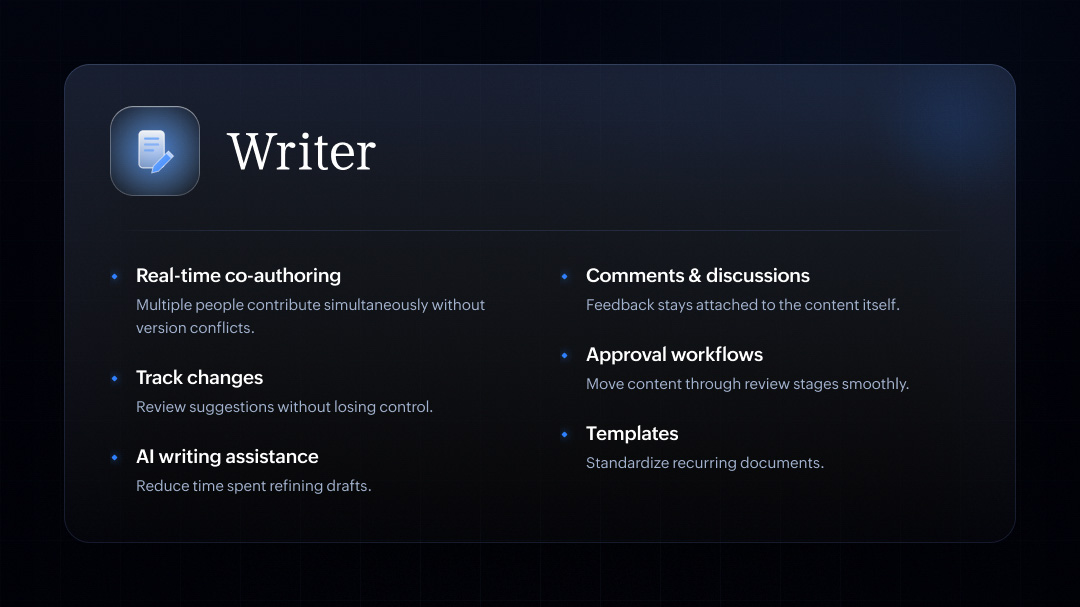
- Real-time co-authoring without the chaos: Stop passing a master file back and forth like a hot potato. Multiple team members can hop into the same document and contribute simultaneously. No lockouts, no lag, and absolutely zero version conflicts.
- Contextual comments and discussions: You can finally stop digging through your chat history to find out why a sentence was changed. Inline comments keep your team’s feedback, debates, and brainstorming sessions pinned directly to the relevant text.
- Total control with track changes: Collaboration requires trust, but it also requires visibility. With robust change tracking, you can review edits, compare variations, and accept or reject suggestions effortlessly, ensuring that you never lose control of the original narrative.
- Automated document approval workflows: Moving a piece from a writer to a manager, and finally to legal, shouldn't require a dozen follow-up pings. Set up formal approval pathways to automatically route your content through the right review stages the moment it's ready.
- AI-powered writing assistance (Zia): Don't let draft fatigue slow you down. Writer’s built-in AI assistant helps you refine your tone, spot grammatical hiccups, fix readability scores, and cut down the time spent polishing your work.
- Plug-and-play templates: Don't waste energy reinventing the wheel. Standardize your recurring documentation—from project proposals to weekly reports—with custom templates that keep your branding flawless and your layout consistent.
Zoho WorkDrive: Creating a single source of truth
Even the best content loses its value if your team has to spend twenty minutes searching to find it. When files are scattered across personal desktops, chat channels, and random cloud links, information silos lock up momentum.
Zoho WorkDrive solves this by serving as your team’s definitive central workspace. It eliminates the friction of file hunting and sharing, making sure the right assets are instantly accessible to the right people. Here's how WorkDrive keeps your organization aligned:
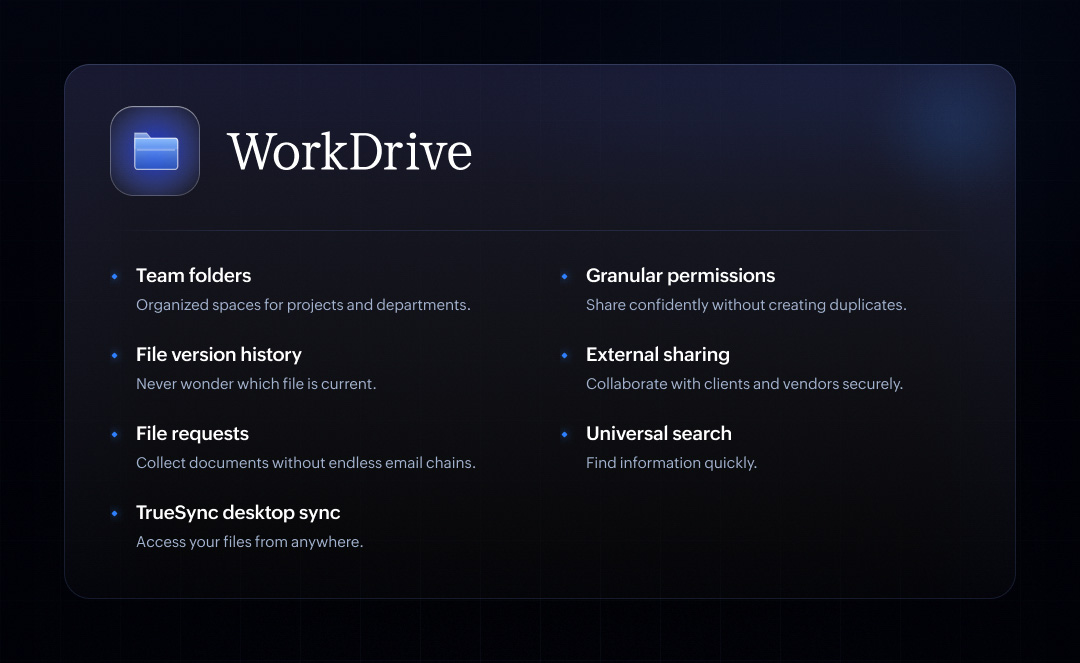
- Structured team folders: Create dedicated, organized spaces for specific projects, campaigns, or entire departments. When a new team member joins, they get immediate access to everything they need in one clean layout.
- Confidence with granular permissions: Assign precise roles—like Viewer, Editor, or Admin—at the folder or file level. This allows your team to collaborate deeply on a live asset without creating messy duplicate files for safety.
- A transparent file version history: WorkDrive automatically tracks and logs every single iteration of a file. You can see who made changes, compare versions, or roll back to a previous draft with a single click.
- Secure external sharing: Collaborating with clients, freelancers, or vendors doesn't have to be a security risk. Create password-protected external sharing links, set expiration dates, and disable downloads to keep your corporate data entirely under your control.
- Frictionless file requests: Need to collect creative assets from an agency or invoices from a contractor? Stop clogging your inbox with endless attachment threads. Send a secure File Request link that lets external users upload documents directly into your designated WorkDrive folder.
- Universal search: WorkDrive's intelligent search doesn't just look at file titles; it indexes text inside your documents, images, and metadata, helping you locate the exact information you need in seconds.
- Seamless access with TrueSync: Keep your desktop light and your files accessible. TrueSync mirrors your entire corporate library right onto your computer without draining your local hard drive space. Edit locally, and it updates in the cloud in real time.
Zoho Sheet: Turning data into shared understanding
We’ve all dealt with the anxiety of a broken formula, the confusion of locked files, or the nightmare of accidentally overwriting a cell that someone else was working on.
Zoho Sheet transforms data management from a stressful, isolated chore into a live hub for collaborative decision-making. Instead of just storing numbers, it helps your team analyze, automate, and act on information together in real time. Here's how Sheet eliminates data friction:
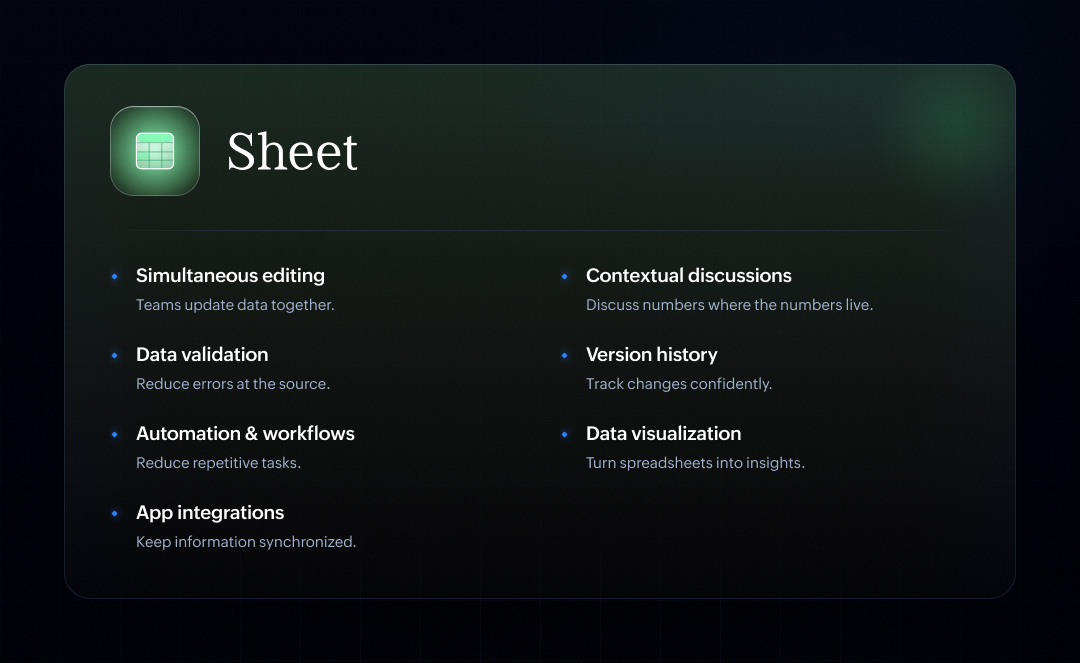
- Real-time simultaneous editing: Your entire team can log in, edit cells, filter views, and update projections simultaneously. You can see changes happen as they type, with zero lag or file lockouts.
- Discuss numbers where the numbers live: Stop trying to explain data issues over email or chat. Use cell-level comments and contextual discussions to ask questions or give context directly next to the specific figures. Your data and your conversations stay perfectly aligned.
- Bulletproof data validation: Set up strict data validation rules—like dropdown menus, date parameters, and character limits—to ensure that anyone entering data inputs it correctly the first time.
- Total confidence with version history: Data work requires a safety net. Sheet records every single edit, filter, and formula change made to your workspace. You can track exactly who updated a figure, audit changes over time, and restore previous versions with complete peace of mind.
- Automated workflows to kill repetitive tasks: Automate recurring tasks with built-in macros and custom functions. Whether you need to clean up messy text, format regional entries, or run recurring calculations, you can build a workflow that handles it instantly.
- Instant data visualization: Turn dense grids into clear, actionable insights with a massive library of dynamic charts, pivot tables, and automated dashboards that visually explain the story behind your metrics.
- Seamless integration across your app stack: Sheet integrates beautifully with your other core business applications. Pull live customer data from your CRM, export project milestones, or sync financial figures automatically to keep your entire workplace ecosystem completely synchronized.
Zoho Show: Turning collaboration into alignment
You’ve drafted the strategy in Writer, organized your resources in WorkDrive, and crunched the metrics in Sheet. Now comes the ultimate hurdle: getting people to buy in. Too many great ideas stall at the finish line because the pitch deck is clunky, the data is outdated, or the presentation doesn't translate across a remote audience.
Zoho Show is the final, critical step in your workflow. It's the place where internal collaboration transforms into an impactful, public-facing narrative. It removes the friction from slide design and client delivery, helping your team turn complex backend work into clear, decisive action. Here's how Show elevates your delivery:
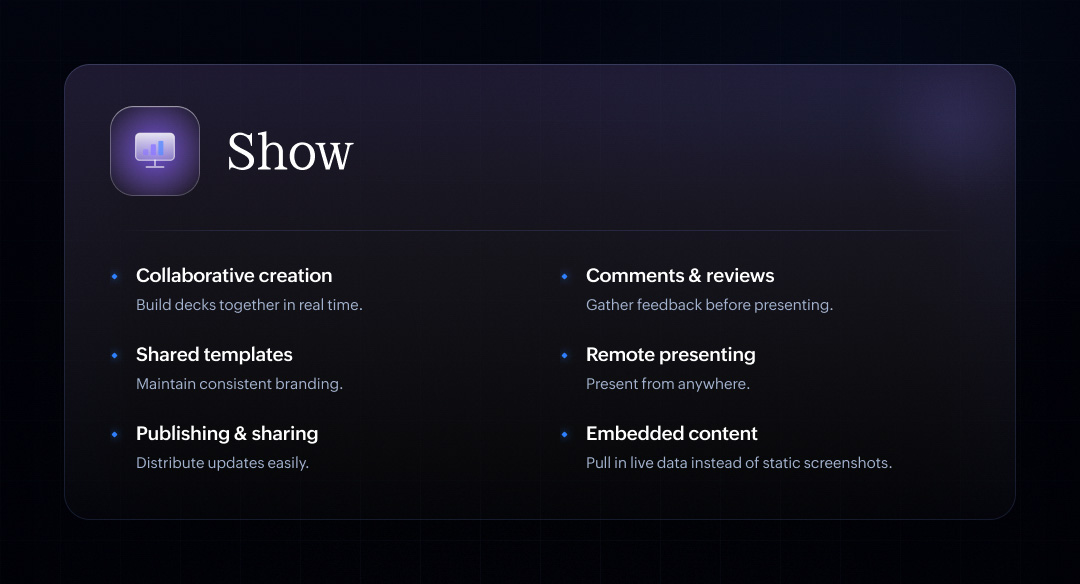
- Collaborative slide creation: Building an important deck shouldn't be a solo burden. Your design team can polish the layout, your copywriters can tweak the headlines, and your analysts can build the data slides, all inside the same presentation workspace, at the exact same time.
- Centralized comments and reviews: Don't wait until you're standing on stage to catch a mistake. Gather feedback, leave design suggestions, and handle internal reviews directly on specific slides. Keep the prep conversations tied to the visual elements so adjustments can be made seamlessly before you go live.
- Shared templates and locked branding: Creative freedom is great, but brand consistency is vital. Create and share centralized master templates that lock in your corporate color palettes, typography, and logo placements. Your team can build decks rapidly without accidentally straying from your brand guidelines.
- High-impact remote presentation capabilities: Present flawlessly to a room next door or a client across the globe. Show’s built-in broadcasting tools let you deliver smooth, lag-free slide transitions, manage presenter notes on a private screen, and engage your audience through interactive Q&As from any device.
- Frictionless publishing and distribution: Stop sending massive, multi-megabyte PDF or PPTX attachments over email. Publish your presentation securely online and share a single web link. Stakeholders can view the deck instantly in their browser, and any last-minute edits you make will update automatically on their end.
- Live embedded content: Static screenshots age poorly. Show lets you embed live, interactive elements—like dynamic forms, web pages, or active charts from Zoho Sheet—directly into your slides. When your backend numbers update, your presentation slides update right along with them.
Real value: Connecting the workflow
Individually, each of these applications is designed to solve a specific, everyday office frustration. But the real transformation occurs when these tools unite, creating an environment where information moves effortlessly alongside your team.
To see what this looks like in the real world, let’s map out a standard business milestone: launching a major marketing campaign.
In a traditional workspace, this process is usually a logistical nightmare. In a connected ecosystem, it functions like a perfectly timed relay race:
- The spark (Writer): Your team gathers in a shared document to brainstorm the campaign angles, outline target personas, and draft the master copy. The core strategy is locked in together, in real time.
- The engine (WorkDrive): The moment the strategy is finalized, it moves into a dedicated department folder. Graphic designs, video assets, brand guidelines, and copy deliverables are organized neatly in one secure spot that is accessible to the internal team and external agencies alike.
- The reality check (Sheet): Alongside the creative work, your marketing analysts build a live dashboard. They track media spend, forecast conversion rates, and map out performance projections. The numbers back up the creative direction.
- The final delivery (Show): When it's time to get executive sign-off, you don't waste hours copy-pasting text or taking screenshots of spreadsheets. You pull your active copy from Writer and embed the live, updating budget charts from Sheet directly into Show. You present a unified, living narrative to your stakeholders.
Throughout the entire campaign prep, your information never fractured.
No one had to pause their day to hunt down an elusive asset across three disconnected systems. No one accidentally worked off an outdated script. No one spent their evening duplicating data just to make a slide look right.
Common habits that create collaboration friction
We like to think that simply adopting modern software automatically makes us a modern team. But the truth is, technology is only half the battle. Many organizations invest in cutting-edge platforms, yet continue to rely on old, comfortable workflows that quietly drag collaboration to a crawl.
Look closely at your team's typical workday, and you’ll likely spot these common culprits:
- Emailing attachments: Emailing document attachments back and forth like a digital game of hot potato. Before you know it, your inbox is a graveyard of files named Project_Proposal_v2_final_EDITED_PR-review.docx.
- Maintaining multiple copies: Creating duplicate copies of important files on local desktops because people don't trust where the master version lives. This instantly fragments your information and creates massive blind spots.
- Scattered tech stack: Storing critical project details across completely disconnected platforms. One team is on a messaging app, another is using a personal cloud drive, and executive notes are trapped in an email thread.
- Outdated spreadsheets: Making high-stakes business decisions based on spreadsheets that haven't been updated in weeks, completely oblivious to the fact that someone else is maintaining a newer version elsewhere.
- Manual slide creation: Building presentations by manually copying data from one system, formatting it in another, and pasting screenshots into slides is a tedious loop that's outdated the second the presentation begins.
Wrapping up
At its core, collaboration has a single, clear objective: to accelerate progress.
Yet, in the modern office, we find ourselves spending more time managing the process of working together than actually doing the work itself. We schedule meetings to prepare for other meetings, send endless chat pings to locate single files, and spend hours sync-checking data. It’s what industry experts call "work about work" and it’s exhausting.
The answer is simple: Connect the work that already exists.
With Zoho Workplace, your documents, files, data sheets, and presentations all live within a single, unified workflow. You stop building bridges between apps because the gaps are already closed. Collaboration naturally transforms from a clunky, manual chore into something simpler, faster, and genuinely effective.
Comments